

We're always looking for the right tool for the job and when it comes to the best free video editor for Windows, where do you start? Well, you let us do all the hard work for you. We've put together our 10 best free video editors for Windows to help you choose the programme that suits your needs best.
10 Best Free Video Editing Software for Windows PC
1. DaVinci Resolve


DaVinci Resolve is free, and is a full editing suite. Its colour grading tools are renowned for being some of the very best, and it’s used by many Hollywood film studios so it has the seal of approval from the pros too. The downside is that it isn’t really for beginners if you want to get straight into video editing. If you have some time though, it’s worth learning.
Pricing
|
DaVinci Resolve |
Free |
|
DaVinci Resolve Studio |
Buy for £245. Studio is also free with some BlackMagic purchases. You can learn about the differences between DaVinci Resolve free and Studio from our comparison article. |
Pros and Cons
|
Pros |
It’s free! The free version is fine for most users. A great, powerful, all-in-one studio. |
|
Cons |
Quite system heavy so you’d need a powerful PC. Steep learning curve. |


2. HitFilm

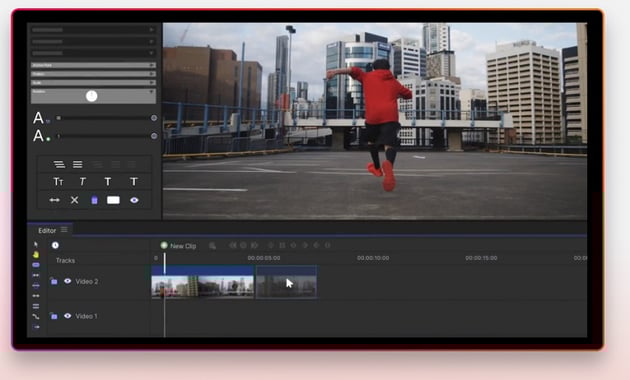

HitFilm’s emphasis is on visual effects as well as regular video editing tools. Some tools require purchasing as they aren’t included. HitFilm claims to be ultra fast with no lag, which is great if your PC is a little older.
Pricing
|
Free |
Great for beginners but the resources are limited. You do get unlimited exports though, up to HD quality. |
|
Creator |
£7.99 per month (yearly billing). Imerge is included as well as HitFilm, plus exports up to 4K UHD and includes a lot more songs, FX, and templates. |
|
Pro |
£12.99 per month (yearly billing). As above but with Mocha HitFilm, plus 3D options and more resources. |
Pros and Cons
|
Pros |
Lots of great VFX if that’s your thing. A free version which has enough wiggle room to still create some great stuff. User friendly. |
|
Cons |
The price gets steeper for more features and resources. Export options are restricted depending on price tier. |
3. Shotcut - Free Video Editing Software for Windows
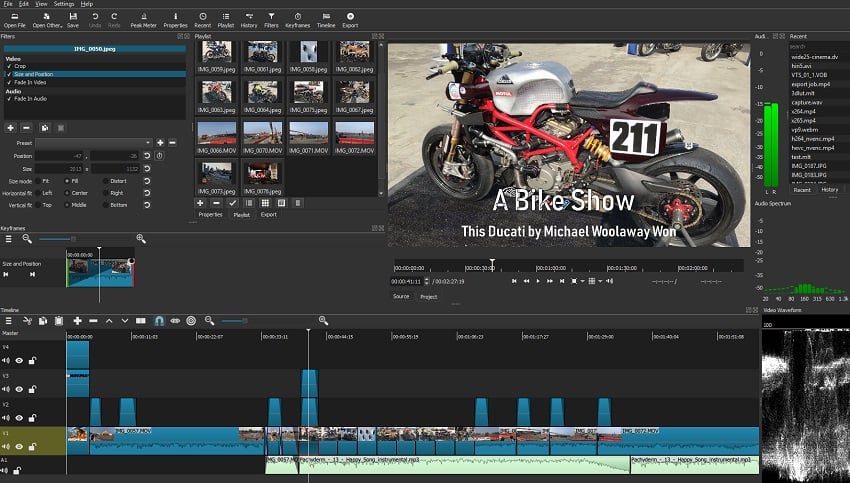

Shotcut is free video editing software for Windows, it’s open source and cross-platform. Shotcut supports a huge range of formats and codecs. The interface is customisable, with dockable and undockable panels, and it also supports dragging and dropping your assets.
Pros and Cons
|
Pros |
Totally free and will continue to be updated. A lot of fairly advanced features. |
|
Cons |
Less intuitive than some video editors. Like a lot of free software, the interface can seem a little cheap or lacking in places. |
4. VSDC - Free Video Editing Software for PC
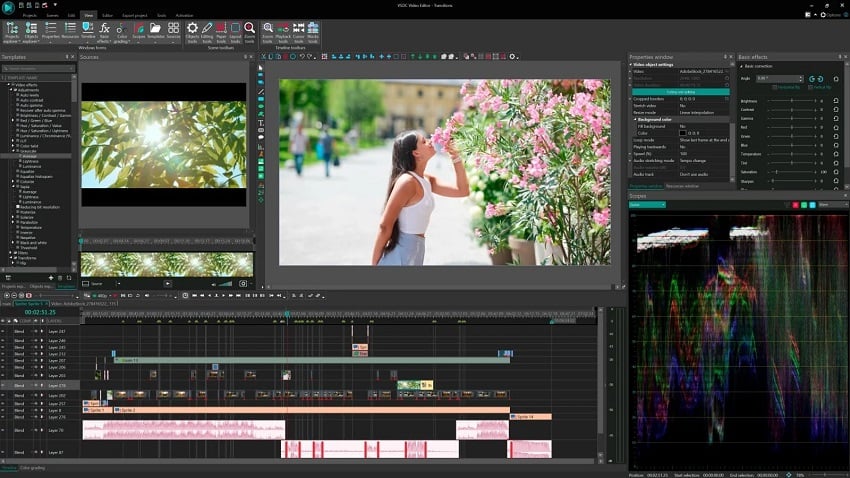
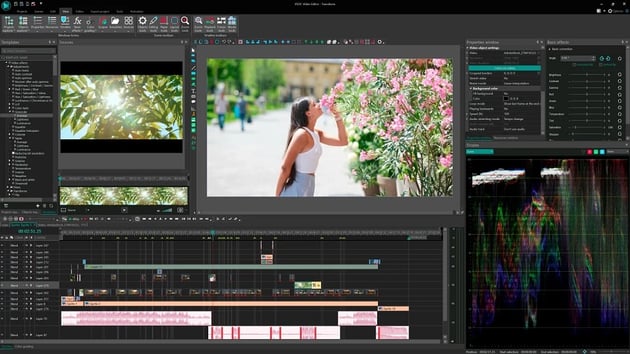
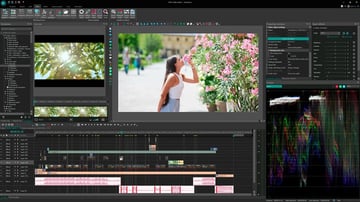
VSDC supports a lot of video and audio formats and codecs, it has a powerful chroma keying tool for background removal, and it includes all your essential video editing tools, plus colour correction. VSDC claims not to be system heavy and says you can even user it with older PCs!
Pros and Cons
|
Pros |
Free. Plenty of visual and audio tools and effects. Masking and chroma keying. Non-linear. |
|
Cons |
Tricky for newbies. Limited exporting options. |
5. PowerDirector Essential
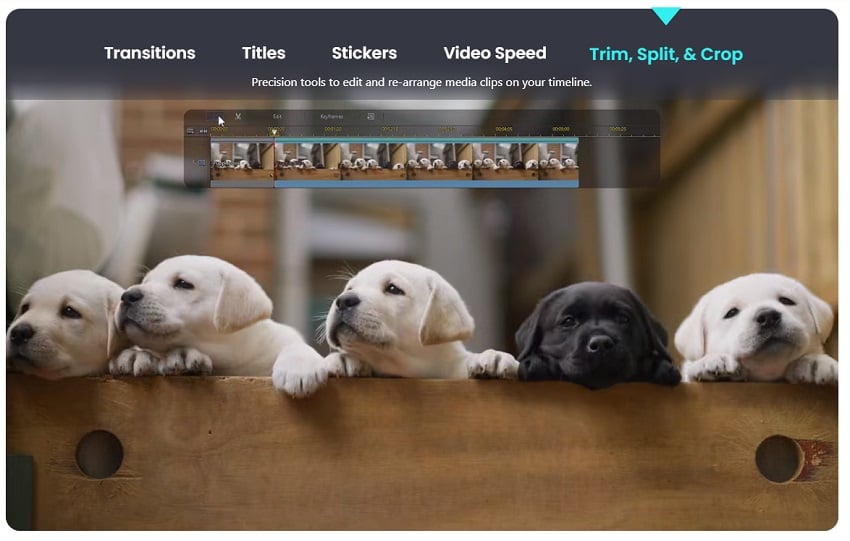
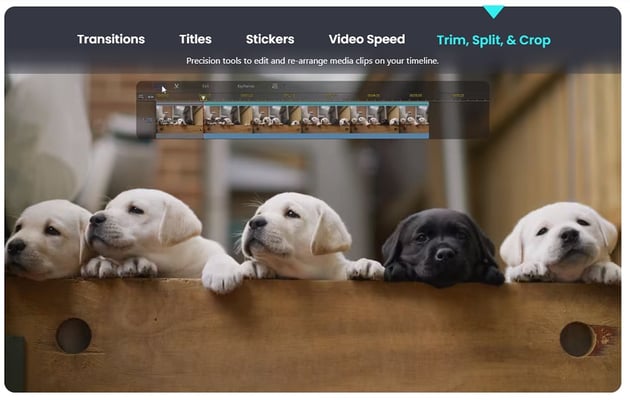

PowerDirector from Cyberlink offers a wide range of tools and effects for creating professional videos. It’s easy to use and there’s even a tool called Magic Movie Wizard that will make films from scratch in just a few clicks.
Pricing
|
Free |
Free forever but with fewer tools than the paid for versions. |
|
PowerDirector 365 |
$51.99 per year – full-featured video editing |
|
Director Suite 365 |
$96.99 per year, a 4-in-1 suite including video, photo, audio, and colour grading. |
|
PowerDirector 21 Ultimate |
$139.99 buy outright licence. The closest to PowerDirector 365 but with fewer resources and no updates included. |
Pros and Cons
|
Pros |
User friendly. Designed for beginners. Lots of templates and pre-made effects. |
|
Cons |
Limited tools. |
6. Blender
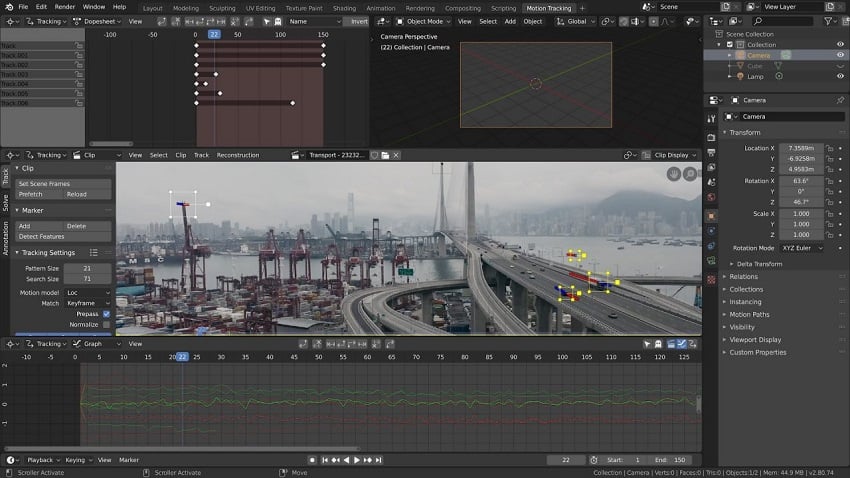
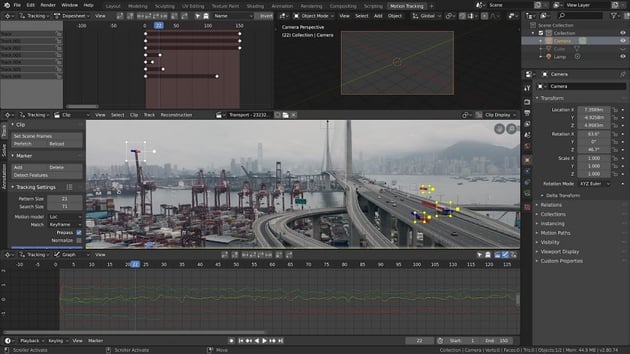

Blender is known for its 3D graphic capabilities but it actually has some pretty nifty video editing tools too. The editor includes luma waveform, chroma vectorscope, audio mixing, synching, scrubbing, transitions, keyframes, and more! The best bit is, Blender is completely free and open source.
Pros and Cons
|
Pros |
If you do animation as well as regular video editing, Blender is perfect. Lots of tutorials around plus a large community of other users. |
|
Cons |
The video editing features can’t compare to the top editing suites. It might take a while to learn the various tools. New releases may be buggy. |

10 Best Free Video Editor for Windows Continued
7. Kapwing Online Video Editor
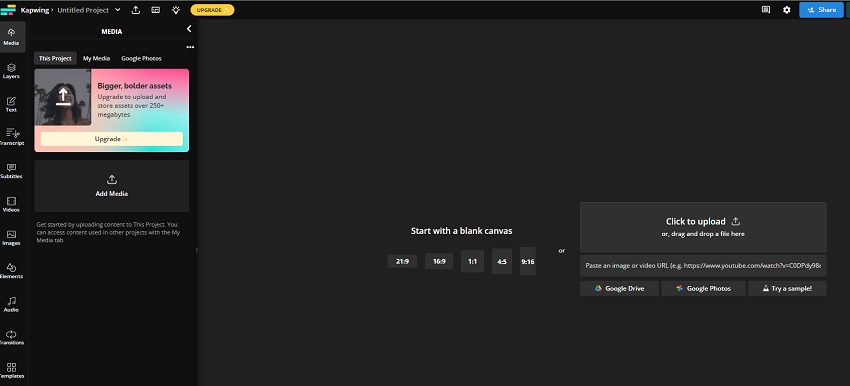
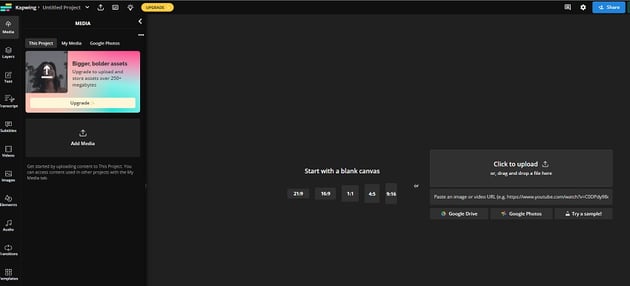
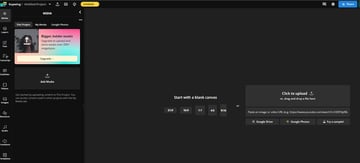
A simple to use drag-and-drop timeline means Kapwing’s editor is intuitive and great for beginners. It has a tool to resize videos ready for any social platform including Instagram and TikTok. There are some AI tools to make use of too, including some one-click automations.
Pricing
|
Free |
Unlimited exports (with a watermark) up to 720p quality. 10 minutes per month of the subtitler. |
|
Pro |
$16 per month (billed annually). No watermark, create videos up to 120 minutes, use the subtitler for 100 minutes a month, export up to 4k and some other features. |
|
Enterprise |
Contact sales. Basically unlimited use and some additional features for teams. |
Pros and Cons
|
Pros |
A subtitler and other AI tools are useful time savers. Good for beginners. |
|
Cons |
The free editor is quite limited. Requires an internet connection as it’s all online. |
8. VideoPad Video Editor
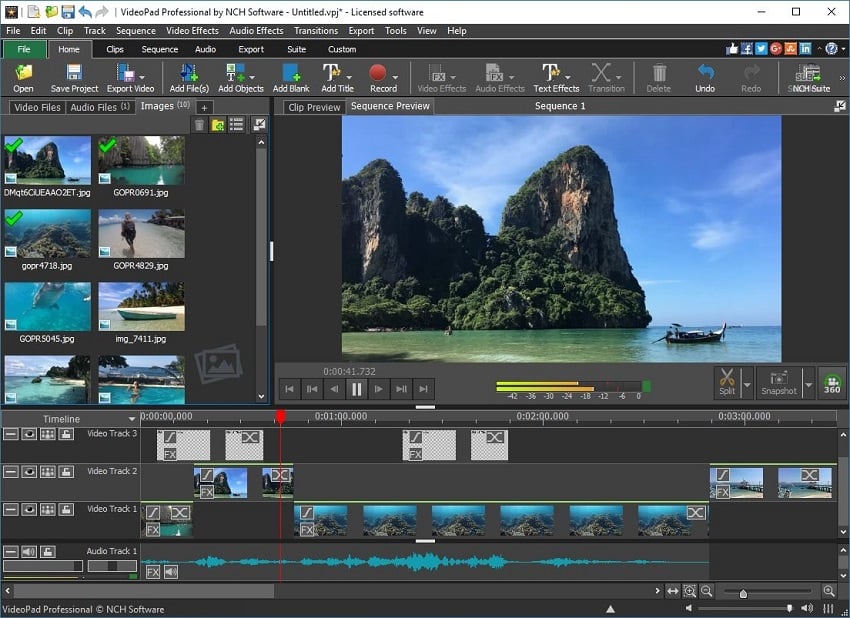
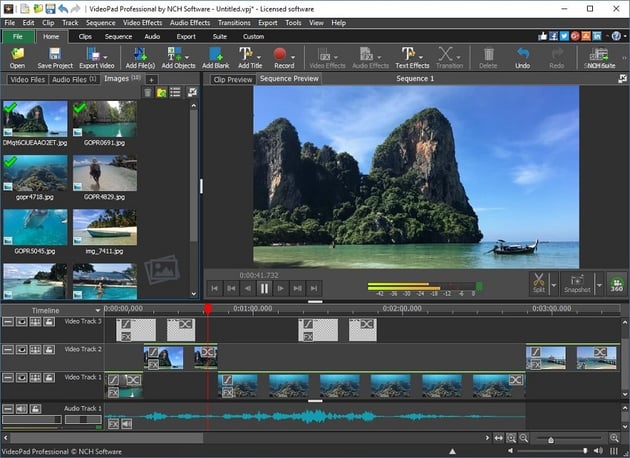
VideoPad’s editor has a familiar feel about it, so it should be quite easy to find your way around. As well as video editing tools, you’ll find over 50 visual effects and transitions, plus effects for audio editing. Just drag and drop your video clips in to get started.
Pricing
Another complicated pricing structure. Bundles are available but I’ve focused on the video editor on its own here. At the time of writing there was a 50% sale on (these prices reflect the usual price, not the sale) so it’s worth checking to see if they’re discounted first as it’s potentially quite a saving.
|
Free |
Non-commercial use only (Home Edition) |
|
Home Edition (buy outright) |
$99 |
|
Master’s Edition (buy outright) |
$159 |
|
Subscription |
$7.16 per month (billed quarterly) |
Pros and Cons
|
Pros |
For a video editor at the cheaper end of the spectrum it looks pretty decent. Includes effects. Drag and drop intuitive interface. |
|
Cons |
The pricing isn’t bad when there’s a sale on but the pricing structure is overly complex. The host website is a little off-putting. |
9. OpenShot Video Editor - Free Video Editing Software for PC

‘Simple and powerful,’ OneShot is an open source, cross-platform video editor that promises to be great for beginners, as well as having all the tools you’ll need for starter to intermediate film-making. There are also some 3D creator options for title effects etc.
Pros and Cons
|
Pros |
It’s totally free. Quick rendering. |
|
Cons |
Lacking advanced features. Occasional stability issues. Slower at high resolution clips. |
10. MiniTool MovieMaker


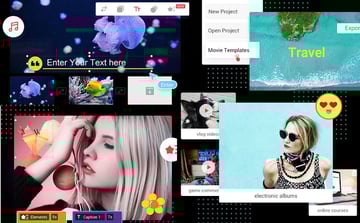
As its name suggests, the MiniTool MovieMaker is a simple way to edit videos on Windows, aimed at beginners or lighter users. It has embedded templates, and even with the free version, you can export without a watermark. All the plans are limited to 1080p videos, which should be fine for the user-base it’s aimed at.
Pricing
MiniTool MovieMaker doesn’t say if its ‘Ultimate Plan’ is buy outright or a yearly subscription. None of the prices include tax.
|
Free |
After your first 3 videos, you’re limited to 2 minutes in length. |
|
Monthly subscription |
$12.99 |
|
Annual subscription |
$35.99 (40% off) |
|
Ultimate Plan |
$59.99 (40% off) – lifetime upgrade and a 3 PC license. |
Pros and Cons
|
Pros |
No watermark, even with the free video editor. Lots of tutorials available to help you make videos. Really easy to use. |
|
Cons |
Really only for beginners or people who only want to make basic social media videos. |
Summary: Best Free Video Editor for Windows
All of these free video editing software for PC links will be useful for someone – it all depends what your requirements and existing skills are, and of course, your budget. They’re all free to an extent but may be too limited for your needs. Here’s a quick guide to which free video editing software for Windows might be best for you if you’re still undecided.
Best Free Video Editor for Windows - Overall and for Professionals: DaVinci Resolve
For video editors looking for seeking to edit videos on Windows for free plus the advanced tools to do it well, Resolve is the clear choice. It’s such a comprehensive suite and is available entirely for free – professional film makers, particularly those who have budget concerns, will find Resolve invaluable.
Best Free Video Editing Software for PC - Beginners (to Intermediate): HitFilm
HitFilm occupies a good mid-ground in video editing software for Windows. Its user-friendliness means it’s a safe bet for beginners, but then when you’ve learned the basics you’re not going to find that you need to go elsewhere. The only thing you may be limited by are the restrictions on the free version, but with unlimited exports you’ll probably find it before that happens and you can subscribe to their next tier up if it does.
Best Free Video Editing Software for PC - Quick Instant Results: MiniTool Movie Maker
When you just need to get the job done quickly and easily, try MiniTool Movie Maker. It’s limited to 1080p but that will be enough for most quick content makers doing videos for social channels and websites. There’s very little needed to learn the software as it’s all quite instinctive with drag-and-drop features.
Best Free Video Editor for Windows: - Honourable Mention: Blender
It doesn't get picked up all that often when it comes to talking about how to edit videos because it's primarily for creating 3D graphics, but Blender does have some great editing tools too, so it's worth keeping it in mind. It's free and open source, and has a huge fanbase.
Envato Elements
If you edit videos on Windows then you’ll be delighted to know that Envato Elements offers you access to thousands of video templates, add-ons, stock footage, music tracks and more, and you can use as many as you like! All for one monthly subscription.
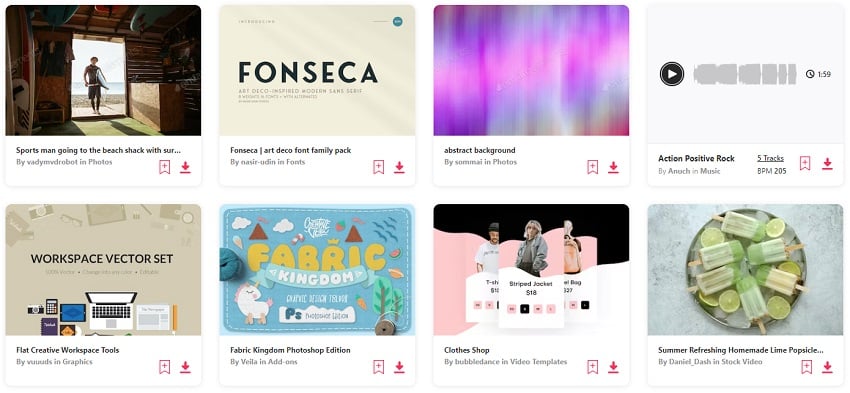


Each month you’ll find some awesome free stuff there too, including video editing resources, fonts, and photos.
Conclusion: Best Free Video Editing Software for Windows
High-quality free video editing software tools for PC are plentiful, if you know where to look, and hopefully after this article… you do! The variation of these will help everyone from a total beginner, to a long-term professional edit videos on Windows quickly and easily. Now, your creativity doesn’t have to be limited by advanced knowledge of tools, or by prohibitive costs. We hope you’ve found some great free video editors for Windows in this list, to try!
About This Page
This page was written by Marie Gardiner. Marie is a writer, author, and photographer. It was edited by Gonzalo Angulo. Gonzalo is an editor, writer and illustrator.
 By
By






