

The thought of losing your digital files can be scary, whether it’s important work, or special videos of family occasions, make sure you have secure and accessible storage as a backup, or just to access them conveniently from any location. Here are our top 10 online video storage solutions for 2024.
What is Cloud Video Storage and Why Do You Need It?
Cloud video storage is accessible from any device with an internet connection, so you don’t need to rely on physical storage. This has a number of benefits, like:
Convenience
Access your videos anytime, anywhere, on any device, whether it’s your smartphone, a tablet, or even some smart TVs. While some local storage is never a bad idea, it’s great to have a version that you can access anywhere.
Security
Cloud storage is generally protected by encryption in secure data centres that have advanced backup features. This means they’re safe from accidental deletions, hardware failures, or malicious attacks.



Scalability
Unlike fixed-capacity hard drives, cloud storage adapts to your growing video library so you can just upgrade your storage plan as and when you need to without the headache of physical replacements and needing to remember what’s stored where.
Collaboration
Sharing your videos with friends, family, or colleagues is easier if it’s accessible online. You can often allow others to view, comment, and even edit your videos directly through the platform.
Cost-Effectiveness
Hardware maintenance and backups can get expensive, even with storage prices coming way down in recent years. Video takes up a lot of space, so comparatively, cloud storage offers cost-effective plans that fit budget.
Things to Consider When Looking For Video Cloud Storage
Choosing the perfect video cloud storage solution depends on your specific needs. Ask yourself these questions:
-
How much space do you need for your current and future video library?
-
Do you have large-format videos exceeding typical upload restrictions?
-
Will your internet connection handle smooth video uploads and streaming?
-
Do you prioritise top-notch encryption and privacy measures?
-
How important is video sharing and co-editing?
-
What pricing plan fits your budget and gives you the features you need?
10 Best Cloud Storage for Video: 2024
1. pCloud
Pricing: Free (10GB) and then from £50 a year, with ‘lifetime’ purchases also available
pCloud is for personal and business users, with a variety of tariffs and storage sizes available. There are no file size limitations, which definitely makes it appealing if you’re storing video, and there’s a built-in media player so you can stream your videos in the platform.
Pros
- Free, if small, allowance.
- Zero knowledge privacy, meaning even the service provider can’t access your files.
- No size restrictions on files.
Cons
- Only 10GB free and then you need to pay.
- Fewer advanced collaboration features if you need to share files.
2. Sync


Pricing: Free (5GB) and then from $8 per month for individuals, up to 2TB.
Access your files from all your devices, anywhere plus share and collaborate both inside and outside of your own organisation with Sync. There’s no additional software needed, you can access and share (with unlimited data transfer) your files with top notch security.
Pros
- Unlimited file transfer, even in the free tier.
- Individual or team options.
Cons
- Advanced sharing features are in the paid tiers.
- Recover history time is less on cheaper plans.
3. Icedrive


Pricing: Free (10GB) and then from £6 or per month for 1TB. If you pay for 5 years up front you’ll get a bigger saving.
Icedrive claims to have ‘revolutionary drive mounting software’ to let you manage your video cloud storage as if it was a drive attached to your computer. They also have three apps to help you manage your files: one for web, one for desktop, and one for mobile devices.
Pros
- Good free storage level at 10GB.
- Easy-to-use apps for access.
Cons
- Limited monthly bandwidth.
4. Google Drive


Pricing: Free (15GB) and then from £10 per month (minimum contract of 1 year)
Google is a pretty standard household name now for a whole bunch of things, and Drive is reliable and probably one of the best cloud storage for video if you want something simple and don’t need huge amounts of storage for your videos. With only the two tiers it’s not difficult to make a choice. The only downside is the paid for option it limited to 2TB per user.
Pros
- Generous free tier.
- Trusted brand.
- Easy to use.
Cons
- Small storage size for £10 per month.
- A yearly commitment at £10 puts it at one of the more expensive options… for less.
5. iDrive


Pricing: Free (10GB) and then from $2.95 per year for 100 GB
iDrive has multiple device backup to your account, so you can keep everything in one place. If you need data recovering, they can send you out a physical hard drive in under a week so that you don’t have to re-download huge amounts of data.
Pros
- Physical drive recovery rather than download.
- Recognises and backs up modified files automatically.
- No data is deleted until you manually do it or select their Clean-up tool.
Cons
- Price goes up a lot after the first year.
- A lot of different tiers, which could be a ‘pro’ but it starts to get very expensive.
6. OneDrive


Pricing: Free (5GB) and then from £19.99 per year for 100GB.
If you use Windows you’ve no doubt been nagged by OneDrive to back up your files. OneDrive is Microsoft’s cloud storage option. There’s an allowance of 5 GB for the free tier, which still requires a signup to Microsoft 365. If you already subscribe for Word, or Outlook etc, then you’ll have an allowance included already.
Pros
- Free version and affordable expansion.
- Trusted name.
- Intuitive design as you’ll no doubt already be familiar with Microsoft products.
Cons
- Capped upload sizes, not great for video cloud storage.
- Data privacy concerns – some people raise issues with Microsoft’s privacy policies.
7. Dropbox


Pricing: Free (2GB) and then from £7.99 per month for 2TB
With a measly 2GB free allowance, we can probably safely say that Dropbox is not the best storage for videos, not at this level anyway. Its other tiers are… fine, though. They don’t excite us but they’re not awful either, and DB is a trusted name. Other features include viewer history, watermarking, and password protection. You can also create trackable links, which might be a useful sharing feature for you.
Pros
- Trusted name.
- User friendly.
- Smart sync feature so you can balance your online and offline access.
Cons
- A very poor 2GB free… come on DropBox, shape up!
- Expensive compared to what you get from other online video storage solutions.
- Upload limit.
8. Backblaze


Pricing: Free trial and then from $99 per year
Backblaze doesn’t have a free allowance but it does claim to let you upload as much as you like for one fixed yearly price, securely and with encryption, meaning it could be a good bet for video storage solutions, though the ‘intelligent throttle’ feature does sound like if there’s too much going in one direction it will slow, if not limit, the upload. Something to be aware of, anyway.
Pros
- Option to have your data ship on an external drive ($189) which you get refunded when you return.
- One simple price for unlimited data, perfect for online video storage.
Cons
- Data throttling.
9. Nordlocker


Pricing: Free (3GB) and then from £2.99 per month for 500GB
With easy drag and drop functionality, Nordlocker is super easy to use. You can organise your files into lockers (we see what you did there) and folders, and then store them locally or on the cloud. Share copies of your files via encrypted links with unique codes adding an additional layer of security.
Pros
- Strong security.
- Easy to use.
Cons
- The free tier is small compared to others.
- Live support is lacking.
10. Internxt


Pricing: Free forever (10GB) and then from €0.89 per month for 20GB
Internxt calls itself ‘the world’s most private cloud storage’ so if you take privacy seriously for your video storage solutions, then this may be your favourite. Your data is split into encrypted shards and stored across a network of independent servers, meaning no single place or person has access to your files.
Pros
- Big on privacy, decentralised.
- User friendly.
- Lifetime plans available.
Cons
- Decentralisation can mean slower upload times.
- Limited advanced features like file versioning.
- Still fairly new compared to other trusted brands.
Best Cloud Storage for Video – Summary



The choice is a bit much when it comes to cloud storage, so here are some considerations that might help you choose based on your biggest need.
Security and Privacy
Understanding cloud security solutions is vital. So, if security and privacy are your biggest decision-making factor, then here are our recommendations.
Pcloud
Zero-knowledge encryption, lifetime upload plans, and lifetime file transfers make pCloud a solid security choice.
Sync
End-to-end encryption and GDPR compliance make Sync a safe place for your video content – this might be especially important for those with sensitive video storage solution needs like if you're in the legal or medical profession.
NordLocker
Zero-knowledge encryption and Swiss privacy laws help keep your data safe, and encrypted links mean you can share them with confidence.
Special shout-out to Internxt with its decentralised, sharded file storage across independent servers, which guarantees better security and eliminates single points of failure.
Free Storage
Icedrive
10GB free storage and affordable plans make Icedrive a budget-friendly option for video cloud storage. Great for casual vloggers or hobbyists.
Google Drive
Google Drive actually has one of the best free video cloud storage options out there, with a generous 15GB free space and seamless integration with Google’s ecosystem. If you’re already a fan of Google tools and are okay with the limitations of a smaller storage allowance, then this might be the best storage for videos for you.
OneDrive
5GB free is a little mean, but integration with Microsoft tools makes OneDrive a consideration for Office 365 users. If you’re a paid user, you get a little more and it’s handy for storing video presentations or educational projects. If you're paying anyway, you might as well use it!
Sharing
Dropbox
Dropbox makes it really easy to share files and it’s probably its biggest selling point. There’s a built-in media player for quick social media uploads or project team collaborations. Perfect for short clips or marketing videos.
Backblaze
Backblaze has unlimited storage at a fixed price which makes it ideal for archiving massive video libraries or RAW footage collections. With only the one cost to consider (though remember the data throttling) it makes it a cost-effective option for film studios or production houses to store video online.
Envato Elements
If you’re big on video, then you’ll love Envato Elements, where you can access and use thousands of great resources for one monthly subscription.
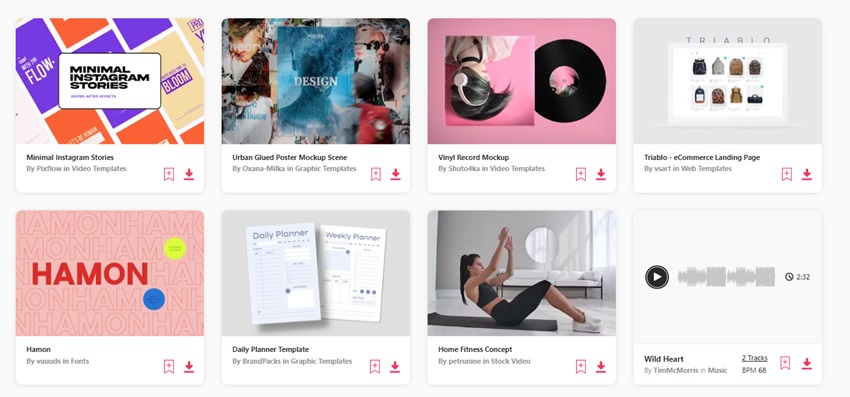


Every month you’ll find some free files to choose from, too.
Conclusion - Best Storage for Videos
You need to know your video content is backed up, safe, and easily accessible any time. That’s why getting your video storage solutions right is so important, and we hope you’ve got plenty of great options to choose from with our list. Whether you’re uploading a few short social media clips, an entire RAW library, or anything in between, there’s an online video storage solution for you. Remember, don’t pay over the odds if you don’t need to – plenty of video cloud storage places have free tiers that might be just fine for your needs, so check those out first and go from there!
More Great Free Video Tutorials and Articles

 How to Add Storage Media to the BMPCC and Save Money


 What is Video Bitrate? (Complete Guide for Beginners - 2025)


 What is a Video Codec (Complete Guide for 2025)

 What Does Rendered Video Mean? Definition & Guide for 2025
About This Page
This page was written by Marie Gardiner. Marie is a writer, author, and photographer. It was edited by Gonzalo Angulo. Gonzalo is an editor, writer and illustrator.
 By
By






