


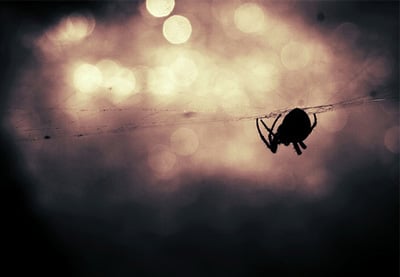
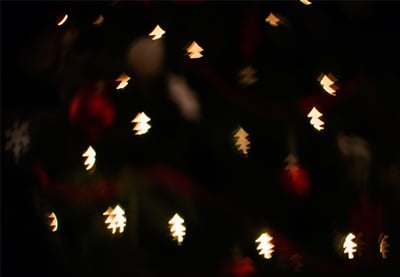
Bokeh is a bit hard to describe, but you know it when you see it. Good bokeh, and the volume it creates in an image, is one hallmark of quality lenses and a creative photographer.
The way lenses work, when a part of a scene is not in focus it creates a not-sharp image. Depending on a number of factors, the way these areas present can be very aesthetically pleasing. While it’s not always possible to create bokeh in-camera, there’s no reason why you can’t add some in post-production!

Here are our seven favourite bokeh effects for Adobe Photoshop from Envato, where you can download unlimited resources for a monthly subscription – go get creative!
7 Top Bokeh Effects for Adobe Photoshop
1. Bokeh Photoshop Action
From phone selfies to professional DSLR photographs, you can add beautiful bokeh effects with the Bokeh Photoshop Action. There are ten colour effects to choose from and it works from Photoshop version CS3 and above.


2. Circles Animation Photoshop Action
If regular bokeh isn’t enough for you, try the Circles Animation Photoshop Action and create bokeh… that moves!


3. Brightum - Soft Focus Photoshop Action
Brush over the area you want to create soft focus on, and click! It’s as simple as that with the Brightum Soft Focus Action. There are 10 options to choose from and layers are fully editable.


4. Lightum - Light Effects Photoshop Action
We had Brightum, now it’s time for Lightum! Create light effects and soft focus around your subject, with ten options to choose from. The action breaks down into fully editable, well-organised layers.


5. Star Filters Pro
Bokeh doesn’t have to be soft blur or circles; try stars! Star Filters Pro is an action set that includes eight different styles of star filter: from large to small, with a variety of points to each shape. These will work particularly well on scenes with road traffic or street lighting.


6. Soft Focus Photoshop Action
Brush over the area you want to remain in focus, and play the action to create stunning soft focus over the rest of your image. You can customise to get the right look for your photographs.


7. Boke-Aji – 80 Large Bokeh Brushes
Boke-Aji is a brush set of 80 for Photoshop. Each is 2500 pixels, so you can comfortably use them on high-resolution images without distortion.


More Beautiful Bokeh Resources




 By
By






