

The way we share and store videos has become a significant part of our daily lives. From social media enthusiasts to professional videographers, everyone is constantly grappling with the challenge of managing large video files. The need for efficient storage, knowing how to make video file smaller and easy sharing of video content has never been more important.
The rise of high-resolution formats like 4K and 8K has led to larger video files, presenting challenges in storage, bandwidth management and reducing size of a video. Recognizing the need for reducing the size of a video, our article offers a comprehensive guide to the best video compression software available in 2024.



10 Best Size Reducer Video Compression Software (Free & Paid 2024)
1. Movavi Video Converter


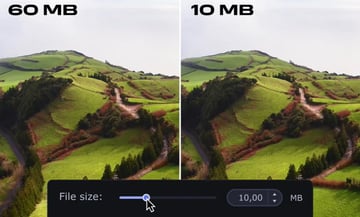
Movavi Video Converter is a versatile video size reducer tool perfect for easy multimedia file management. Its user-friendly design makes it accessible for both beginners and professionals, allowing quick video, audio, and image conversions across various formats.
One of Movavi Video Converter's major highlights is its balance between ease of use and advanced features for reducing size of a video. Users can edit pictures and audio files, and the predefined settings make video compression straightforward, ideal for saving space or sharing online. While the free version covers basic needs, the premium version unlocks more advanced capabilities.
Pros:
- User-friendly interface
- Supports picture and audio file editing
- Predefined optimal compression settings
- Responsive support team
Cons:
- Video compressor software free version may have limitations
- Some advanced features only in premium version
2. HandBrake

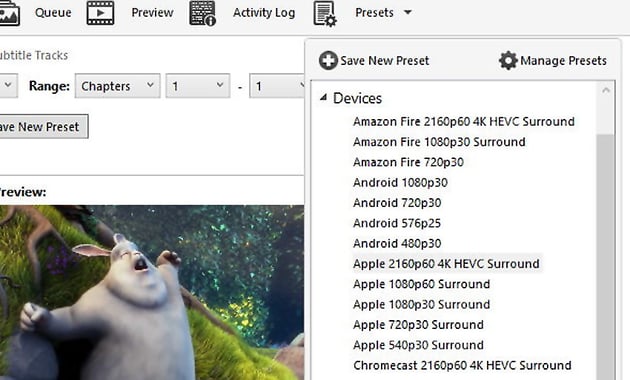

As one of the best free video compressors, HandBrake is a free, open-source video transcoder known for its versatility and ease of use when it comes to reducing the size of a video. It's designed for both beginners and professionals, offering a straightforward way to compress and convert videos across multiple platforms. With support for a variety of formats, HandBrake is suitable for a range of video processing tasks, from simple file size reductions to more complex encoding projects.
The strength of HandBrake lies in its combination of advanced features with a user-friendly interface for reducing size of a video. Users have significant control over video settings, allowing for customized compression with advanced codecs. While it offers extensive options for video customization, the software is still approachable for those new to video transcoding.
Pros:
- Free video compression software and open-source
- Advanced x265 codecs for high-quality compression
- Full control over video parameters
- Numerous output presets for different needs
Cons:
- Limited output formats (MP4, MKV, WebM)
- No estimated final file size display
- Can be complex for absolute beginners
3. VLC


VLC Media Player, renowned for its capability to play virtually any multimedia format, also doubles as an effective video compression tool. This free, open-source software is compatible across various platforms, making it a universal choice for users worldwide. VLC stands out for its simplicity and versatility, accommodating both basic playback needs and more advanced tasks like video compression without requiring additional codecs or plugins.
While primarily known as a media player, VLC's video compression feature is a hidden gem. It offers users the ability to reduce video file sizes through customizable encoding parameters such as bitrate, frame rate, and resolution. This functionality is especially useful for those looking to save storage space or share videos more easily online.
Pros:
- Free and lightweight
- Wide range of supported formats
- No restrictions on video size or resolution
Cons:
- Slower compression speed
- Compression settings can be hard to find
- Not as user-friendly for compression tasks as dedicated software
4. Adobe Media Encoder


Adobe Media Encoder is a powerful tool primarily used for encoding and compressing video files. As part of the Adobe Creative Cloud suite, it integrates seamlessly with other Adobe applications like Premiere Pro and After Effects.
Designed for professionals, this software excels in batch processing, allowing users to manage multiple video and audio clips in various formats simultaneously. Its strength lies in its ability to streamline the workflow, especially for those who need to export their projects to different formats and resolutions.
Users can customize output settings extensively, ensuring precise control over the final product's quality and size. This includes adjusting bit rates, resolution, and format types, making it an indispensable tool for video production workflows and reducing size of a video.
Pros:
- Advanced batch processing capabilities
- Extensive customization of output settings
- Seamless integration with Adobe Creative Cloud
- High-quality video output
Cons:
- Can be complex for new users
- Requires a subscription to Adobe Creative Cloud
- May be resource-intensive on lower-end systems
5. Clipchamp

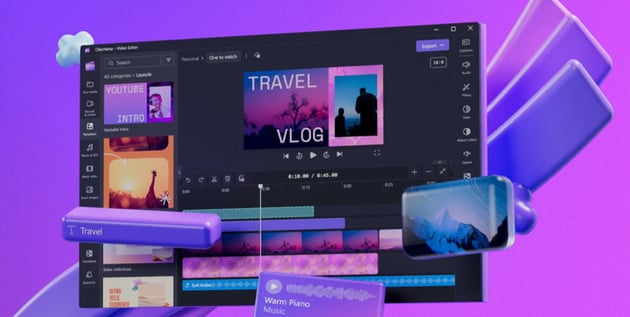

Clipchamp is a user-friendly video editing and video size reducer tool that stands out for its accessibility and simplicity. As a web-based application, it's conveniently accessible from any device with an internet connection. This makes it an excellent choice for users who need a quick and easy way to edit and compress videos without the hassle of downloading and installing software.
In terms of functionality, Clipchamp offers a range of tools for reducing the size of a video and editing. Users can easily upload their videos, choose their desired output settings, and let the software efficiently compress the files. While the standard export option is 480p, higher resolutions are also available. However, the free version applies watermarks on 720p and 1080p resolutions.
Pros:
- Simple and intuitive web-based interface
- Accessible from any device
- Range of editing tools for enhancing videos
Cons:
- Video compressor software free version includes watermarks on higher resolutions
- Limited advanced editing features
- Depends on internet connection for access and functionality
6. VideoSmaller

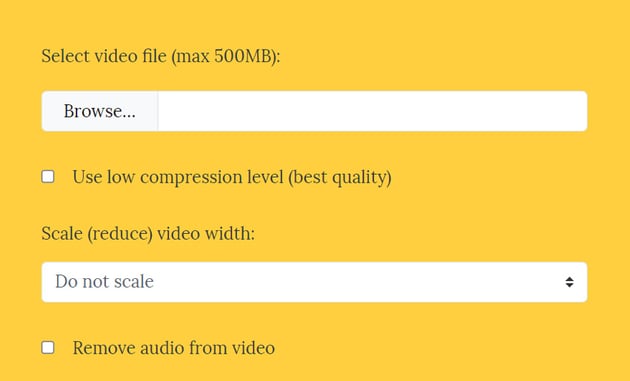

VideoSmaller is a straightforward, web-based tool designed for quick and easy video compression. Its primary appeal lies in its simplicity and accessibility, allowing users to compress video files directly from their web browser without the need to download any software.
Despite its basic interface, VideoSmaller is capable of reducing the size of a video effectively. The process is as simple as uploading a video and letting the tool compress it. However, it's important to note that VideoSmaller's simplicity comes with some limitations.
Pros:
- Free video compression software
- No account or software installation required
- Supports common video formats
Cons:
- Slow compression speed
- Can't compress videos over 500MB
- Limited customization options for compression
- Degrades image quality during compression
7. FreeConvert Video Compressor


FreeConvert Video Compressor is an online tool designed for convenient and efficient video compression. It caters to users who prefer a quick and hassle-free experience without the need to install any software.
Accessible directly through a web browser, this tool provides an easy-to-use platform suitable for various users, from casual individuals looking to reduce the size of personal video files to professionals needing to optimize videos for online upload.
The key advantage of FreeConvert Video Compressor lies in its simplicity and effectiveness. Users can upload their videos, choose from a range of compression settings, and quickly get their compressed video files. Although it's web-based, the tool offers a decent range of customization options, allowing users to adjust aspects like resolution and output format.
Pros:
- Free video compression software
- Easy to use with a straightforward interface
- No software installation required
- Offers customization options for compression
Cons:
- Compression quality and speed depend on internet connection
- May have file size limitations
- Advanced features might be limited compared to dedicated software
8. Freemake Video Converter

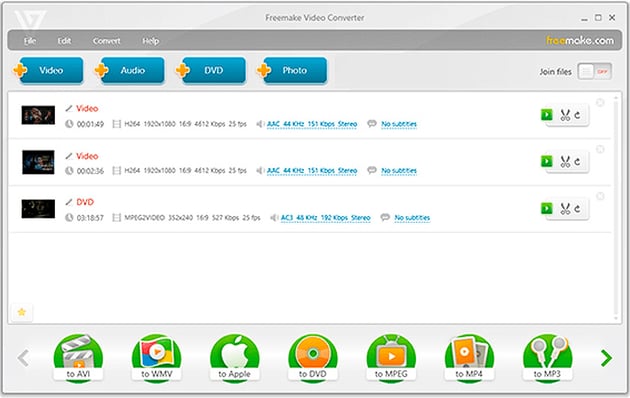

Freemake Video Converter is a versatile software designed for users who need a reliable and user-friendly tool for video conversion and compression. Available for download, it offers a comprehensive solution for converting videos between a wide range of formats, including the capability to compress these files efficiently.
Its intuitive interface makes it easy for users to navigate and perform tasks without requiring advanced technical knowledge. Users can convert and compress large video files, edit them, and even create photo slideshows and music visualizations.
Pros:
- Free video compression software
- Wide range of supported formats for conversion and compression
- User-friendly interface suitable for beginners
- Includes additional features like video editing and DVD burning
Cons:
- Advanced features require the paid version
- Video compressor software free version may include watermarks
- Slower processing speeds in the free version
9. VSDC Free Video Converter


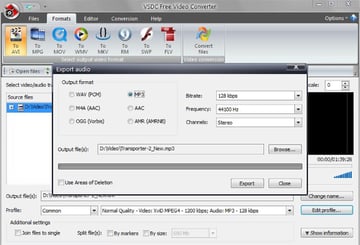
VSDC Free Video Converter is a comprehensive and free tool designed for users looking for a versatile and efficient solution to convert and compress video files. This software is particularly popular among those who need a straightforward and no-cost option for handling a variety of video formats. VSDC supports a wide range of file types and comes equipped with numerous features for both conversion and basic editing, making it a suitable choice for both personal and professional use.
Users can easily convert videos to different formats, compress them for easier sharing or storage, and even perform basic edits like cutting, merging, and applying effects. The software's ability to handle multiple tasks simultaneously enhances its appeal.
Pros:
- Supports a wide range of video formats
- User-friendly interface for ease of use
- Basic video editing features included
Cons:
- Video compressor software free version may lack some advanced features found in paid software
- Processing speed might be slower compared to premium options
- Some formats may require additional codecs for optimal performance
10. CloudConvert


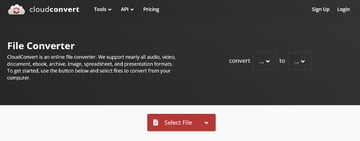
CloudConvert is a versatile online tool designed for users who need a flexible and accessible solution for converting and compressing a wide range of file types, including videos. Accessible directly through a web browser, CloudConvert is ideal for users who prefer an online tool over downloading software, offering convenience and ease of use for both personal and professional tasks.
Users can easily upload their files, select the desired output format, and customize settings for their specific needs. This includes options for video compression, where users can adjust resolution, quality, and other parameters to optimize file size and format for different uses. While the basic service is free, CloudConvert operates on a 'freemium' model, where more advanced features and higher usage limits are available with paid plans.
Pros:
- Free video compression software
- Supports over 200 file formats
- Easy-to-use, web-based interface
- Customizable settings for conversion and compression
Cons:
- Video compressor software free version has usage limits
- Advanced features require a subscription
- Internet-dependent performance and speed
Choosing the Right Tool



There is a lot to choose from when it comes to how to make a video file smaller and determining which one is the best free video compressor for your particular needs. The realm of video compression software is diverse, with tools catering to various requirements and skill levels. Here's a comparison using the top 10 listed above.
Best for Professionals
Adobe Premiere Pro and Adobe Media Encoder are top choices for professionals. Premiere Pro offers extensive editing and compression capabilities, ideal for high-quality productions. It supports a wide range of formats and integrates seamlessly with other Adobe software, making it suitable for complex projects. Media Encoder excels in batch processing and offers extensive customization, allowing professionals to streamline their workflow effectively.
Best Free Options
HandBrake and VLC Media Player are excellent free options. HandBrake provides advanced compression settings with support for various codecs, making it ideal for users who need more control over their compression tasks. VLC, primarily known as a media player, also offers video compression with a wide range of format support. Both are open-source and available on multiple platforms.Best Quick Compression
Envato Elements Premium Offer(Design With Unlimited Use)
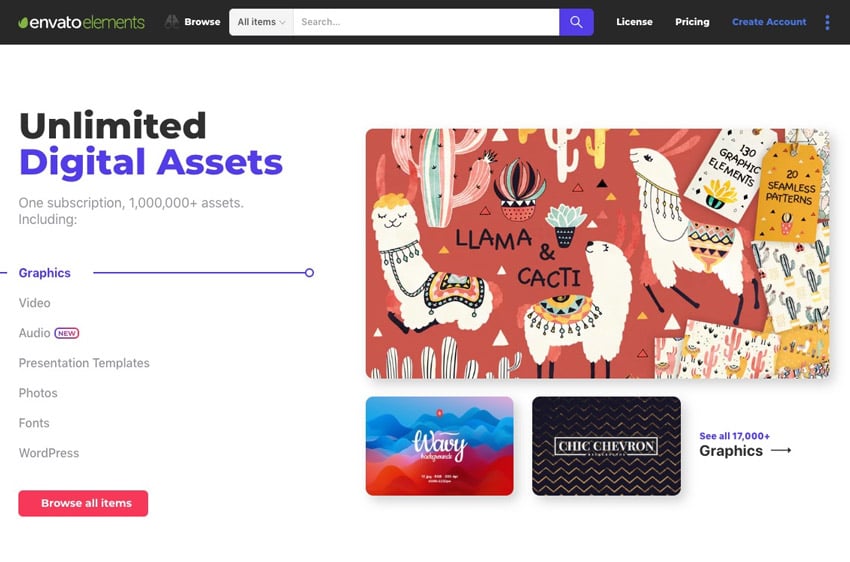

So now that you are more familiar with how to make a video file smaller and the best free video compressors, why not sign up for Envato Elements and you get access to thousands of unlimited use graphics and templates. Get great web themes, Stock Music, and more—all for one low price.
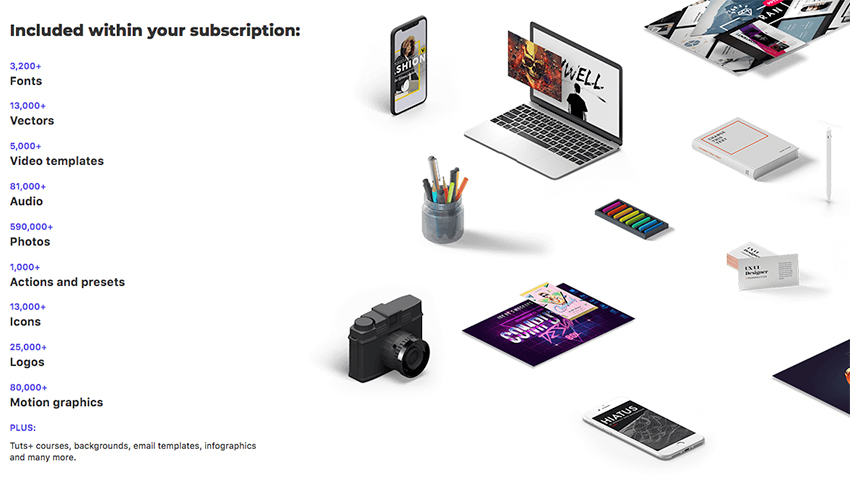

That’s right! Download as many stock images and videos as you want, then customize them to create your own video or audio project.
Conclusion
Selecting the right video compression software depends on your specific needs. Whether you are a professional looking for advanced features or a casual user needing a quick size reduction, there's a tool out there for you. By carefully considering your specific requirements and exploring the available tools, you can find a solution that not only simplifies your workflow but also enhances the quality and manageability of your video content.
 By
By






