

Video editing is an almost indispensable skill now. If you edit on a Mac, then the great news is there are a lot of Mac editing software options for you to choose from. Here, we take a look at 10 of the best, with a look at what each one does, who it’s good for, and what price you can expect to pay.
10 Best Video Editors for Mac in 2023
1. Final Cut Pro


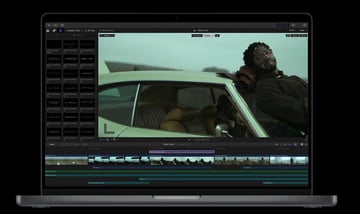
Final Cut Pro is a non-linear editor and as you’d expect, it has a wealth of advanced features including object tracking, motion graphics, specialised audio editing, organising tools and a range of delivery options. If we compare this to Adobe then you’d need the equivalent of Premiere Pro, After Effects, and Audition. Beginners might find it a steep learning curve but pros will love the advanced editing capabilities.
Pricing
|
Free trial |
90 days free |
|
Buy Outright |
£299.99 |
Pros and Cons
|
Pros |
Buy outright is rare for a full video editing suite like this. A 90 day trial is generous enough to figure out whether it’s right for you. It’s designed with Macs in mind. Optimised performance. |
|
Cons |
£299.99 is a lot to pay outright and there’s no breaking that down monthly. |
2. Adobe Premiere Pro
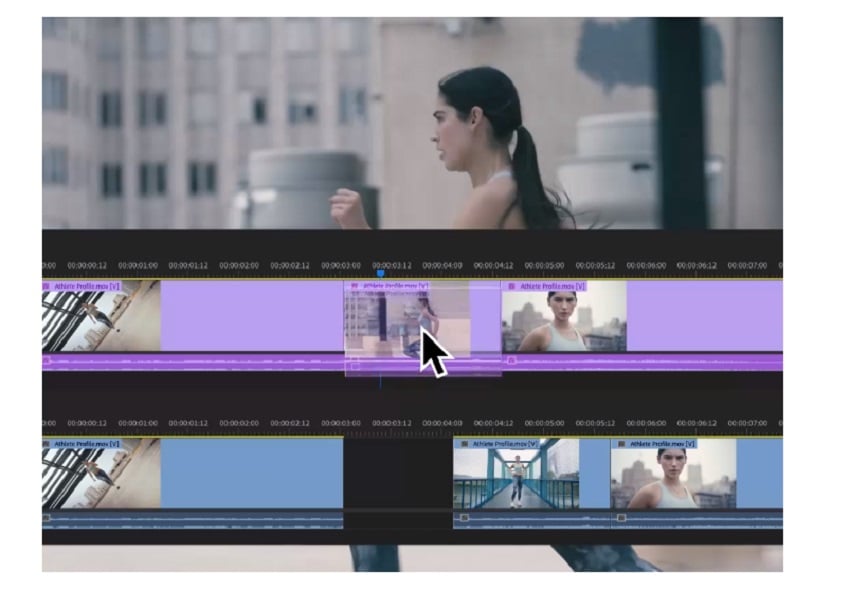
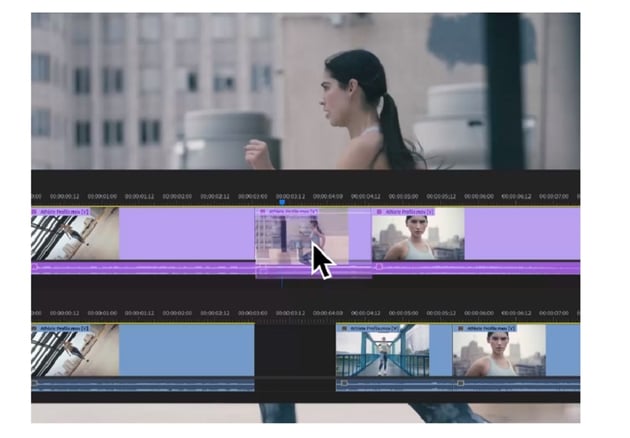
Premiere Pro is a fantastic linear editor that has been a top choice for video editors for a long time. Now, Premiere includes AI powered by Adobe Sensei to give you tools like Colour Match, Auto Ducking, and Morph Cut. All of these nifty features will help streamline your workflow.
Pricing (subscription only)
Below are the plans just for Premiere Pro, but you can get a Creative Cloud All Apps subscription for £41.57 per month (20% off for 1 year).
|
Free Trial |
7 days free |
|
Monthly |
£30.34 per month (cancel any time) |
|
Annual (paid monthly) |
£19.97 per month (cancellation fee applies after 14 days) |
|
Annual (paid outright) |
£238.42 per year (no refund after 14 days) |
Pros and Cons
|
Pros |
Regular updates so you’re always getting the latest tools. Integrates with other Adobe products. |
|
Cons |
Subscription based and a penalty fee for cancellation. Can be resource intensive depending what you’re editing. |
3. DaVinci Resolve - Free Video Editing Software for Mac
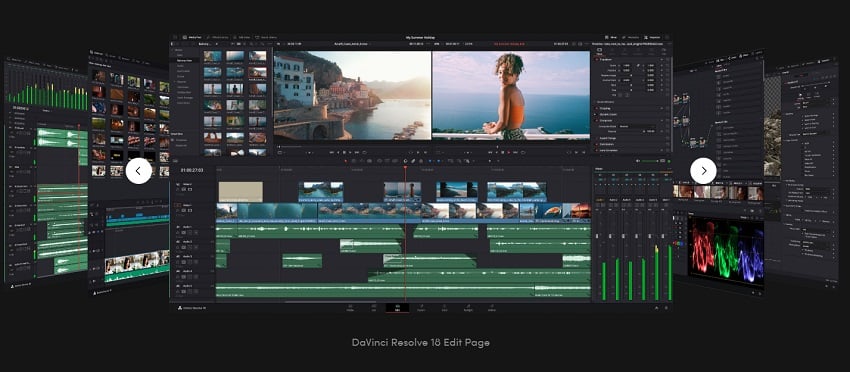
DaVinci Resolve is a free video editing software for Mac. Free. Incredibly, you get a full editing suite (similar to Final Cut in that it’s all-in-one) for zero pounds, or zero dollars. If that’s not enough to get you hitting ‘download’ then how about when I tell you it’s used by Hollywood film studios. Its colour correction tools are second to none, so if colour grading is a big part of your process this is probably the suite for you.
Pricing
|
DaVinci Resolve |
Free. |
|
DaVinci Resolve Studio |
Buy outright for £245. Studio is also free with some BlackMagic purchases. You can learn about the differences between DaVinci Resolve free and Studio from our comparison article. |
Pros and Cons
|
Pros |
It’s free! The free version will be more than enough for most users. Highly advanced colour processing. Dedicated audio processing. |
|
Cons |
If you’re used to FCP or Adobe products then the layout of DVR will take some getting used to. Can be demanding on resources. |
4. iMovie Free Video Editing Software for Mac
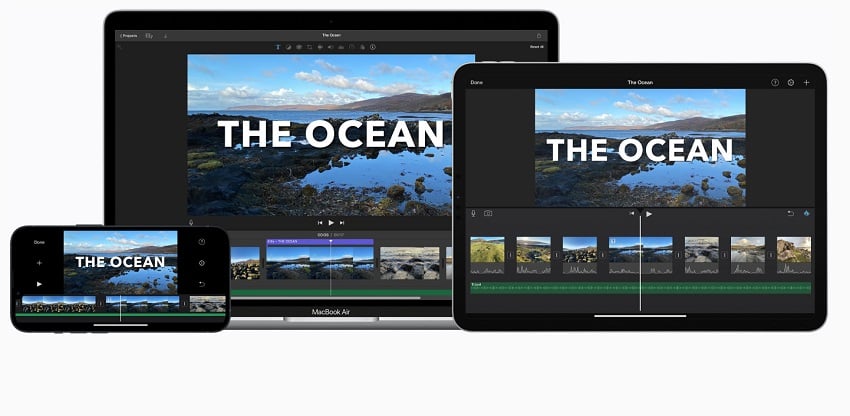


iMovie is designed by Apple, for Apple products. iMovie is free video editing software for Mac that’s aimed at beginners, so if suites with very advanced tools put you off then this might be the editor to try.
Pricing
|
Free |
Free for iOS and macOS |
Pros and Cons
|
Pros |
Easy to use. Instinctive interface. Good for beginners or lighter users. You can use this across your Apple mobile devices too. |
|
Cons |
Not for professional projects. |
5. Filmora Wondershare Video Editor for Mac
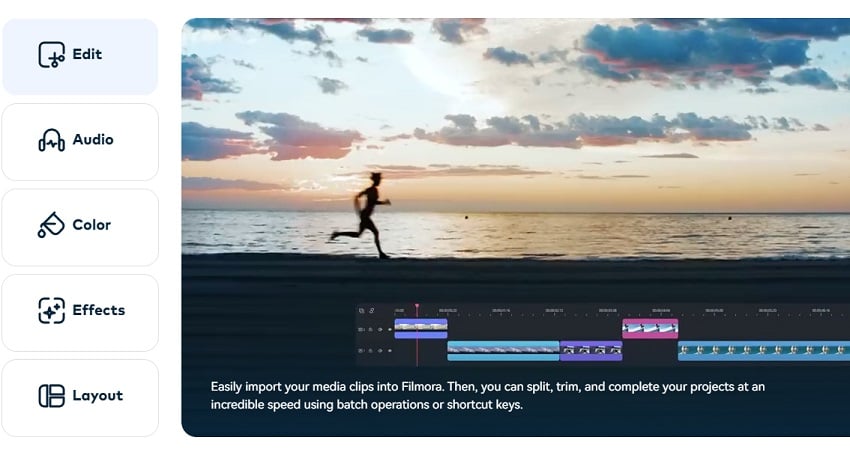
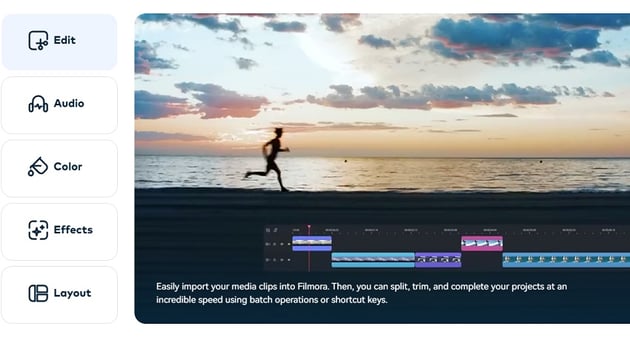
Filmora are providers of fairly reliable video editing tools and their Mac video editing software is no different. Pitched at beginner to intermediate editors, it’s quick and easy to create video with audio and effects. New AI tools will help you cut out objects or people, de-noise grainy footage, and reframe shots.
Pricing
Pricing here is based on an Individual plan.
|
Annual |
£40.99 per year |
|
Cross-Platform |
£49.99 per year (this includes a Windows version and mobile versions) |
|
Perpetual |
£65.99 one-time payment (limited updates) |
Pros and Cons
|
Pros |
AI tools to help with complicated tasks. A simple and instinctive interface. Good for beginners and lighter intermediate users. A buy outright price is a good alternative to subscriptions. The subscription prices aren’t bad, comparatively. |
|
Cons |
Not for professionals. Features are lacking in places. |
6. Lightworks
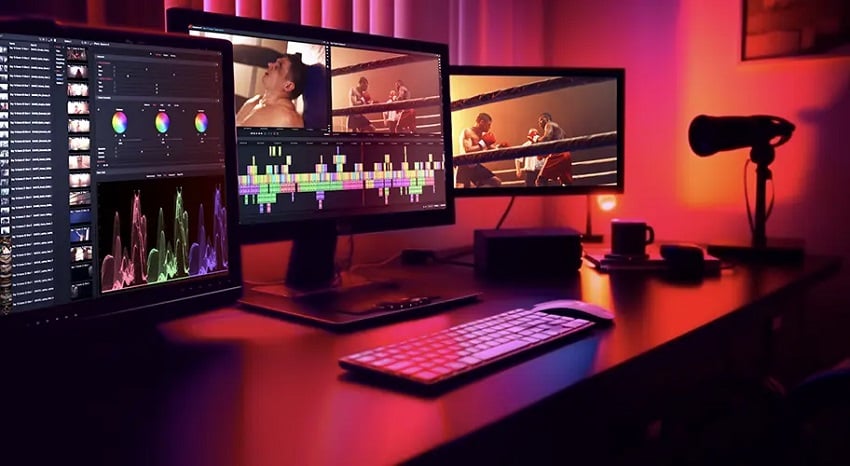
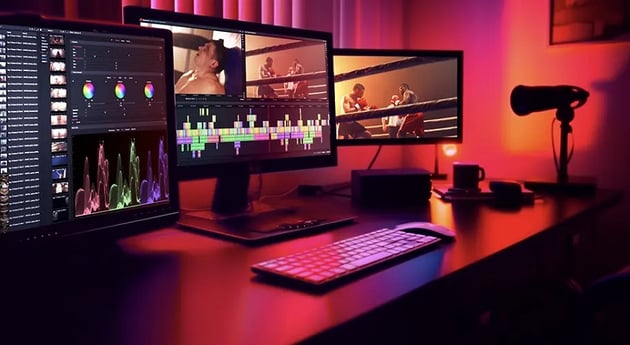
Creating your own layout with Lightworks’ Mac video editing software means you can put everything where you want it, which is particularly useful if you’ve been used to another video editor. Its VFX presets and multiplatform support are an advantage, there’s a lot to investigate to see whether Lightworks is right for you.
Pricing
Pricing is a little complicated. Below are the prices for a monthly subscription but there are also pay yearly options, and buy outright options for £119.99 (Create) and £249.99 (Pro).
|
Free |
Limited features and low quality, but good to trial and practice with. Also might still suit very light users. |
|
Create |
£7.99 per month. Up to 4K export and more features like a titler, colour controls, and templates. |
|
Pro |
£15.99 per month. Full feature access including 10-bit support and increased file formats. |
Pros and Cons
|
Pros |
A buy outright price is available. A lot of options with integration, price point, and tools (also a disadvantage!). |
|
Cons |
Subscription is quite pricy, particularly when you compare to the heavy-hitters. Buy outright is also quite a lot, it’s more expensive than DaVinci Resolve Studio, for example. As above, sometimes too much choice is over-complicated and off-putting. |
Best Video Editors for Mac in 2023 Continued
7. HitFilm Pro - Mac Video Editing Software
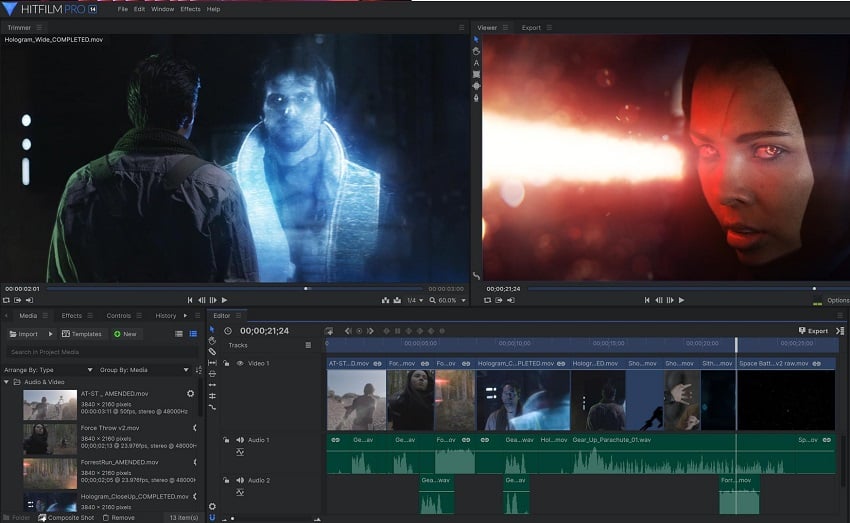

HitFilm Pro seamlessly pairs video editing and visual effects, with powerful chroma keying tools, and particle and text tools. If your video content is VFX heavy, then HitFilm may be for you. Animation and audio editing tools are available directly within the software, and visually it looks very much like Premiere Pro, so if you’re used to Adobe products then it’s going to feel very familiar.
Pricing
|
Free |
Free but limited. You still get unlimited exports in HD quality, which might be enough for light users. |
|
Creator |
£7.99 per month (billed yearly). More features, more effects, more support. |
|
Pro |
£12.99 per month (billed yearly). Full access which includes more features, 3D object tools, plus up to 8K exports. |
Pros and Cons
|
Pros |
Familiar layout and tools if you’re used to Adobe products. |
|
Cons |
Complex for beginners, better for intermediate to pro use. Full access is quite expensive. |
8. Adobe Premiere Elements 2023

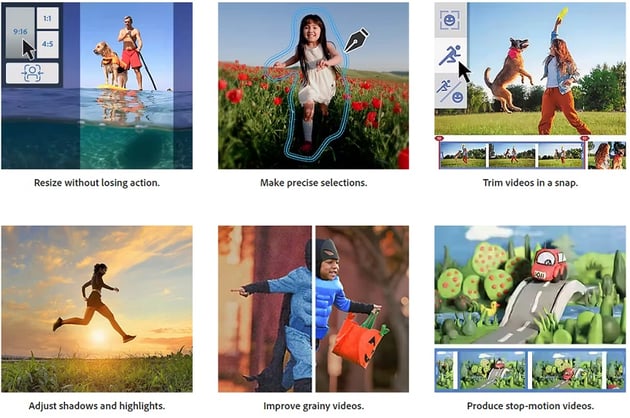
Adobe Premiere Elements is a streamlined version of Premiere Pro with reduced and more user-friendly features, meaning it’s a better bet for beginners or lighter uses than Premiere Pro. If you do a lot of design work as well as video editing, then you can bundle Photoshop Elements in with Premiere Elements, for a reasonable price.
Pricing
|
One time purchase |
£86.56 |
|
Upgrade from an earlier edition |
£70.91 |
|
Bundle with Photoshop Elements |
£130.36 |
Pros and Cons
|
Pros |
Easier to use than the full version of Premiere Pro. Better for beginners. |
|
Cons |
The Elements interface looks a little cheap compared to the full versions. Greatly reduced tools and abilities. |
9. Avid Media Composer - Mac Editing Software
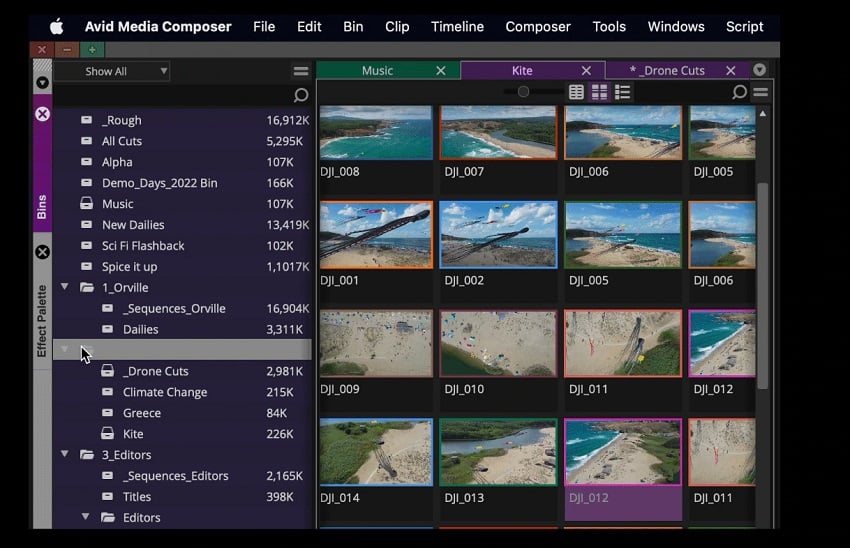


Media Composer is definitely Mac video editing software for advanced users and that’s reflected in its very hefty price tag. While the free version gives you a lot of options, its limitations mean it’s not going to be enough for professional editors. If you’re looking to dip into a pro editor for free and see what it’s like then Media Composer First will give you a decent taster of what that interface looks like.
Pricing
|
Media Composer First |
Free, sort of. It’s more than a trial but it does have limitations like four video tracks, and you can only export to HD. |
|
Media Composer |
$23.99 per month or $239 per year. 99 Video and audio tracks, multi-cam editing, limited other tools and no collaboration options. |
|
Media Composer Ultimate |
$49.99 per month or $499.99 per year. Same as above but with collaboration options and full access to pro tools. |
|
Media Composer Enterprise |
Contact sales for a quote. As above but with the ability to customise the interface depending on the role. |
Pros and Cons
|
Pros |
Good collaboration features so it’s useful if you work as part of a team. It’s rated for its organisational tools so you can keep track of your media, rendered files, metadata, etc. |
|
Cons |
The price, eek. |
10. VideoStudio (by Corel)

Colour grading, masking, titling, audio… VideoStudio has it all in one fairly reasonably priced bundle. The editing tools are easy to use, with drag and drop features and a wealth of other instinctive tools at your disposal.
Pricing
|
Free trial |
30 days |
|
Buy outright |
£79.99 |
|
Upgrade an old version |
£59.99 |
Pros and Cons
|
Pros |
Affordable. Good for beginner to intermediates. |
|
Cons |
Limited advanced features, so not as powerful as some competitors. |
Summary: Best Video Editing Software for Mac
The huge choice of video editing software for Mac users in 2023 means every creative editor can find a tool that fits their skill level and requirements. It also means it's hard to say which is the best video editor for Mac! When picking one of these video editors for Mac think about your expertise, project complexity, and budget, as these factors will guide you toward the software that’s best for you. If you’re still undecided, here’s a summary that might help.
Best Video Editing Software for Mac for Collaboration
Avid Media Composer. is a great tool for collaborative video editing projects, with an extensive suite of features, and robust collaboration tools. If you work as a team, it’s perfect for you… as long as you’ve got a hefty budget!
Best Free Video Editing Software for Mac
DaVinci Resolve. With such editing power at your fingertips for free, DaVinci Resolve blows its competition out of the water. It delivers professional colour grading and video editing… for free! The free version will be enough for most video editors, and if we were forced to choose one editor, it would be this one, though it’s worth emphasising the big learning curve either if you’re a beginner, or if you’ve been used to Adobe suites.
Best Mac Video Editing Software for Professionals
It’s a tricky one, but we can’t just keep choosing DaVinci Resolve, so for this one, Final Cut Pro takes it. It’s Apple’s flagship editor and so it’s geared to work at its best with a Mac.
Best Video Editor for Mac for Beginners
iMovie is perfect for those taking their first steps into the world of video editing, with a simple, inviting, and accessible platform. Combining a user-friendly interface with basic but essential editing functions, newbies to the video editing world will quickly get to grips with its features. Plus, it’s free, so no harm in giving it a try.
Envato Elements
If you're looking for video editing resources for Mac then you’ll be pleased to know that for a monthly subscription to Envato Elements you’ll be able to access thousands of templates, add-ons, stock footage, music tracks and more – and use as many as you like!
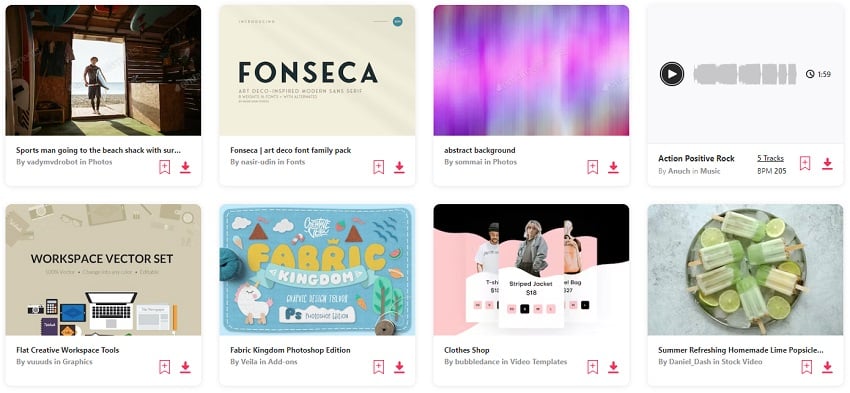


Each month you’ll find some great freebies including video templates, fonts, stock photos and more, so why not check them out and give a few a try.
Conclusion - Best Video Editing Software for Mac
Editing video on a Mac can be as simple or advanced as you need it to be with the choices available to you in 2023. Film-makers, content creators, educators, marketers, and even casual enthusiasts can can harness Mac editing software tools like iMovie, DaVinci Resolve, and Final Cut Pro to piece together narratives, add motion graphics, or to just to some simple editing. We hope you've found some great choices to try out.
Learn More About the Best Mac Editing Software
Try some of our comparison articles to find out the differences between major video editing suites.

 DaVinci Resolve vs Adobe After Effects (Which is Best for 2024?)


 DaVinci Resolve vs Final Cut Pro (Which is Best for 2024?)

 DaVinci Resolve vs Premiere Pro (Which is Best for 2023?)

About This Page
This page was written by Marie Gardiner. Marie is a writer, author, and photographer. It was edited by Gonzalo Angulo. Gonzalo is an editor, writer and illustrator.
 By
By






