

In 2024, the world of creating YouTube videos has been revolutionized by AI. This guide, perfect for beginners, shows you how to use AI as a YouTube video maker. With tools like Synthesia, you can quickly learn how to create YouTube videos using AI, making the process simpler and more efficient.


AI for YouTube is no longer just a futuristic concept; it's a reality that's reshaping how we produce content. This article will explore various AI tools, including those designed specifically for AI YouTube videos, offering you the knowledge to craft captivating content with ease.
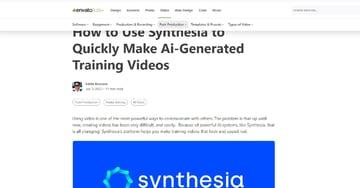
From the basics of AI for YouTube videos to advanced techniques, we draw insights from my previous articles, like "How to Use Synthesia to Quickly Make AI-Generated Training Videos".
This journey into the world of YouTube videos using AI is designed to be straightforward and engaging, making the world of video production accessible to everyone.


Step-by-Step Guide to Using AI for YouTube Videos
Step 1: Script Writing with AI and Using AI for Scripting
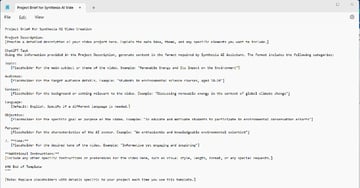
Begin by brainstorming your video goals with ChatGPT, applying conversational coding to develop your initial concept. This is your first step in creating YouTube videos using AI. Then, let ChatGPT assist you in crafting a script that will engage your viewers. A great tool for this is Synthesia, an AI YouTube video maker we've discussed before. In my guide, "How to Use Synthesia to Quickly Make AI-Generated Training Videos," I delve into how Synthesia's innovative features, including AI avatars and multi-language support, elevate scriptwriting.
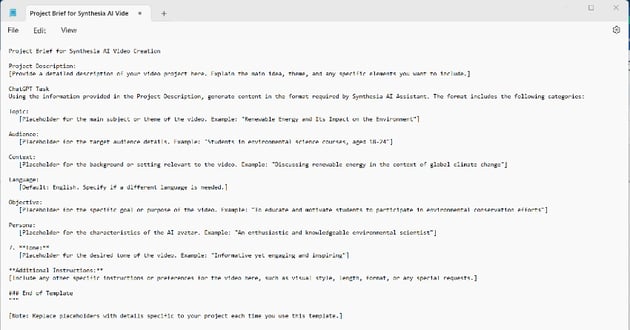
Synthesia’s Ai Video Assistant Tool can take your initial ideas and independently create your presentation. This step in AI for YouTube videos simplifies the process, transforming your thoughts into a coherent script, and then into realistic video presentations. No matter the AI platform, it's crucial to inform your AI about its functionality and best practices. This guidance enables your AI to adeptly assist you, adapting your vision into clear instructions. This approach is key to how to create YouTube videos using AI, ultimately shaping your final output to match your desired vision.

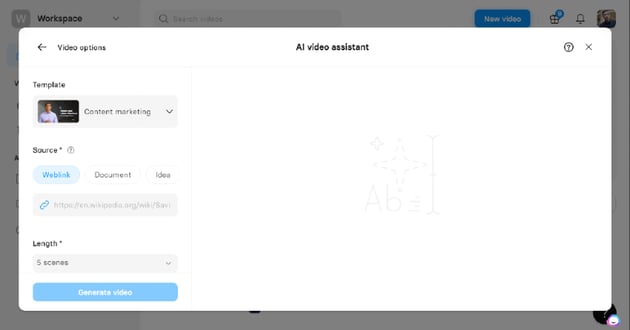
Efficient AI-Driven Video Creation: Synthesia excels in transforming scripts into engaging visual content. But the video production process doesn't end there. Enhancing and refining your AI-generated videos is crucial for a polished final product.
Improving Scripts with Conversational Coding: To elevate your script and enhance your interaction with AI tools like Synthesia, an AI YouTube video maker, it's helpful to apply Conversational Coding principles. This approach is particularly effective in creating YouTube videos using AI. For deeper understanding, check out my blog post on Conversational Coding (link). These principles aid in making the AI's output more aligned with your vision, especially when you're learning how to create YouTube videos using AI.

Creating Thumbnails Using AI & AI-Enhanced Thumbnails with ChatGPT
Thumbnails are key in making your YouTube videos stand out. By using AI tools like ChatGPT, an effective AI YouTube video maker, you can brainstorm creative thumbnail ideas that align with your video's theme. This AI-driven approach is excellent for YouTube videos using AI, helping you visually represent the core message of your content.
Utilizing Envato Elements for Visuals: When it comes to high-quality graphics, Envato Elements is an invaluable resource. It provides a vast selection of graphics ideal for enhancing your AI-created thumbnails, particularly when you're learning how to create YouTube videos using AI.

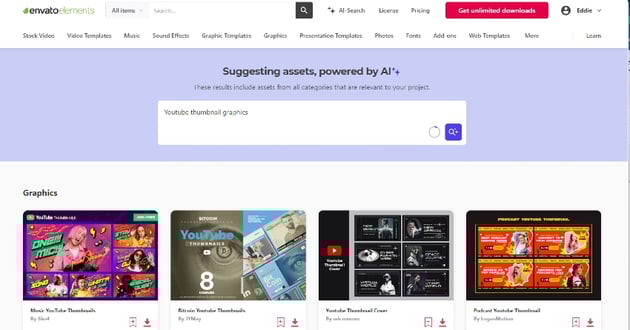

Thumbnail Creation Best Practices:
- Clear and Focused: Your thumbnail should accurately reflect the theme of your AI for YouTube videos.
- High-Quality Images: Choose high-resolution images from Envato Elements to give your thumbnails a professional look.
- Minimal Text: Use text sparingly in your thumbnails, ensuring it’s easy to read at a glance.
- Consistent Branding: Make sure your thumbnails align with the branding of your YouTube channel.
- Effective Use of Color and Contrast: Employ colors and contrast to make your thumbnails visually striking.
Customizing Thumbnails with Image Editors: After selecting graphics from Envato Elements, use an image editor like Pixlr to personalize your thumbnails. This step combines the AI-generated concepts with high-quality graphics, resulting in thumbnails that are both attractive and relevant to your AI for YouTube videos.


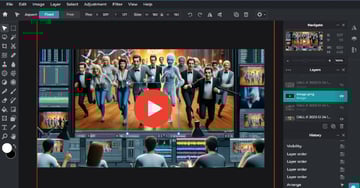
Example and Tutorial:
- Selecting Graphics: Visit Envato Elements and use the AI search feature to find graphics that fit your video’s theme, like a play button or other icons.
- Downloading Graphics: Download your chosen graphics, available in formats like PNG or PSD, ready for editing.
- Editing in Pixlr: Launch Pixlr or a similar editor and import your downloaded graphics. Adjust their size and placement to suit your thumbnail design.
- Blending Elements: Merge the AI-generated ideas with the downloaded graphics to create a thumbnail that captures the essence of your YouTube video using AI.
Tip: Project-Specific AI for Tailored Thumbnails: Use the AI tool that's been handling your project for the best thumbnail creation. It has detailed knowledge about your video, ensuring that the thumbnail is perfectly aligned with your content.
AI-Generated Voiceovers
Professional Voiceovers with AI Tools: While Synthesia is great for generating video content, when it comes to voiceovers, an excellent tool to consider is ElevenLabs.io. It offers a range of voice options in various languages and accents, providing your videos with a professional and authentic sound.

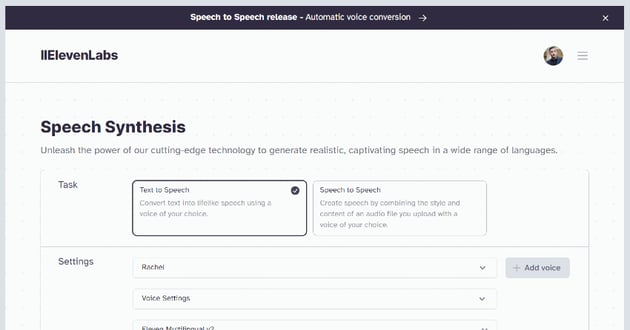
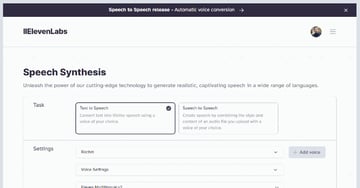
Using ElevenLabs.io for Voiceovers:
- Wide Range of Voices: ElevenLabs.io offers an extensive selection of voices. You can choose from different languages and accents to match the tone and audience of your video.
- Realistic Sound Quality: The AI-generated voices on ElevenLabs.io are designed to sound natural and realistic, adding a human touch to your videos without the need for actual voice recording sessions.
- Easy Integration: The voiceovers you create with ElevenLabs.io can easily be integrated into your video projects. Whether you’re using Synthesia for video creation or another platform, the process of adding AI-generated voiceovers is straightforward.
- Customization Options: ElevenLabs.io provides options to customize the speed, tone, and even emotional expression of the AI voices, giving you greater control over how your message is conveyed.
- Accessibility: By offering voiceovers in multiple languages, ElevenLabs.io helps make your content more accessible to a global audience, breaking language barriers.
Example of Using ElevenLabs.io: Imagine you’ve created a video using Synthesia and now need a voiceover. You can visit ElevenLabs.io and select a voice that fits your video’s style. Customize the voiceover as needed, then download the audio file. Finally, sync this audio with your video in your editing software for a polished and professional result.
Refining with Advanced Tools
Enhancing AI-Generated Videos: After creating your foundational video with Synthesia, an AI YouTube video maker, it's time to refine it using advanced editing tools. These tools complement Synthesia, perfect for crafting YouTube videos using AI.
DaVinci Resolve for Detailed Editing:

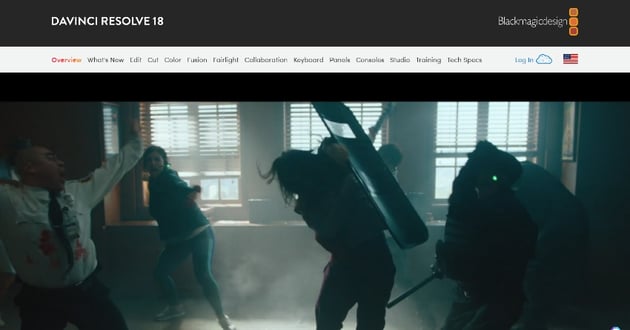
If you need to edit or perfect your final video output with effects, you can use DaVinci Resolve, a powerful editing tool I've covered extensively on my Tuts+ profile. DaVinci Resolve offers professional-grade editing features, including color grading, advanced audio post-production, and visual effects. It’s ideal for creators aiming for high-quality AI for YouTube videos.
Animoto for Automated Editing:



Animoto remains an excellent choice for more automated, streamlined editing. It's particularly effective for AI for YouTube videos that require dynamic, visually rich content with minimal effort. Use it for adding animations and music to enhance the appeal of your YouTube videos using AI.
Combining Tools for Best Results:
- Start with Synthesia: Create the basic structure of your video using this AI tool.
- Refine with DaVinci Resolve: Import your Synthesia video into DaVinci Resolve for detailed editing. This is a crucial step in how to create YouTube videos using AI, where you add professional touches to your content.
- Add Final Touches with Animoto: For graphic-rich edits, Animoto is the go-to tool, especially when simplicity and speed are key.
Maintaining Visual Consistency: Ensure your videos have a consistent look and feel, aligning with your channel’s branding. This consistency is vital in AI YouTube video creation, as it establishes a professional and recognizable style.
Accessibility is Key: Remember to include subtitles in your videos. This makes your AI for YouTube videos accessible to a broader audience, including those with hearing impairments.
Deepfake Technology for Humor
Ethical Use of Deepfakes for Humor: Deepfake technology, when used responsibly, can introduce a fun and innovative element to your videos. As I discussed in "Deepfake Videos: Unveiling The Magic & Tools to Create Them Ethically in 2023," deepfake technology offers unique opportunities for creativity while also emphasizing the importance of ethical usage.

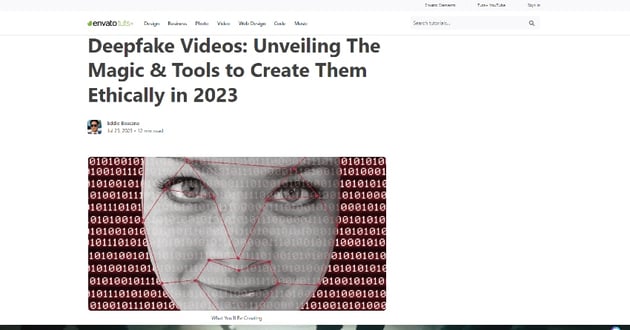
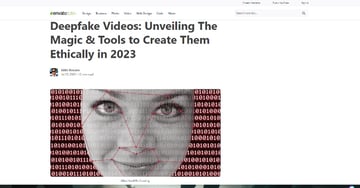
Article screenshot about deep fake Ai videos.
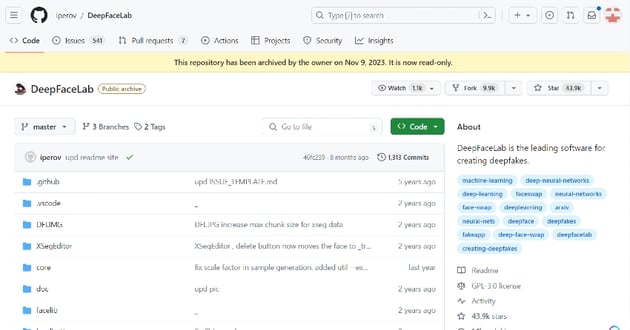
Creating Humorous Content with DeepFaceLab:
- Choosing the Right Tool: DeepFaceLab is a popular choice for creating deepfakes. It's known for its precision and range of customization options, allowing you to create high-quality deepfake videos.
- Ethical Considerations: When creating deepfakes, it's vital to consider the ethical implications. Always seek consent from individuals whose likeness you intend to use and avoid creating content that could be misleading or harmful.
- Adding Humor: Deepfakes can be a great way to add humor to your videos. This could be through light-hearted parodies, impersonations, or bringing imaginative scenarios to life. The key is to keep it fun and respectful.
- Technical Process: Using DeepFaceLab involves selecting a source video and a target face. The software then uses AI algorithms to superimpose the target face onto the source video, creating the deepfake. Familiarize yourself with the tool's features to get the best results.
- Quality Assurance: Ensure the final output maintains a high-quality standard. Avoid glitches or unnatural movements that can detract from the video’s humor and overall appeal.
- Incorporating into Your Main Video: Once you’ve created your deepfake clip, integrate it into your main video project, enhancing the humor aspect of your content.
Example Scenario: Imagine creating a humorous video where a historical figure reacts to modern technology. Using DeepFaceLab, you could superimpose the face of the historical figure onto a relevant video clip, creating a funny and engaging deepfake that adds an entertaining twist to your content.

Choosing the Right AI Video Generator
The AI video generation world offers a variety of tools, each tailored to specific video production needs. My article, "Top 10 AI Video Generator & Editor Tools for 2023," details these tools:
InVideo and Pictory:
- InVideo: Known for its user-friendly interface and template library, it's perfect for quick, professional videos like short promos and social media content.
- Pictory: Specializes in turning text into engaging videos, ideal for educational or informational content.
Text-to-Video Conversion:
- Lumen5: An excellent tool for converting blog posts or articles into dynamic videos, using AI to match text with relevant visuals.
- Steve AI: Transforms written content into video narratives efficiently, a top choice for repurposing text content.


Choosing the Right Tool:
- Content Type: Match the tool with your content needs; InVideo and Pictory for shorter videos, Lumen5 and Steve AI for text-to-video conversions.
- Ease of Use: Beginners should opt for tools with simple interfaces.
- Customization: Pick tools that offer the customization level your project requires.
- Integration: Ensure the tool works well with other software you're using.
Selecting the appropriate AI tool depends on your specific video project requirements, from the content type to the desired level of customization and ease of use.
Conclusion
Using AI as a YouTube video maker revolutionizes content creation, blending efficiency with endless creativity for YouTube videos using AI. Tools like Synthesia and DeepFaceLab simplify the entire process, making AI for YouTube videos accessible and transforming creative visions into reality. Our comprehensive guides offer insights into this evolving AI for YouTube landscape, equipping you with the knowledge to confidently produce AI-driven content.
 By
By






