

This sponsored post features a product relevant to our readers while meeting our editorial guidelines for being objective and educational.


Welcome to our Photoshop in 60 Seconds series, in which you can learn a
Photoshop skill, feature, or technique in just a minute! In this quick
video, Melody Nieves will show you how to sharpen your images fast and easily
using Photoshop Actions.
Improve Your Workflow with Photoshop Actions
If your workflow could use a little improvement consider the power of Photoshop Actions. Actions allow you to apply photo effects and edits easily all with the click of a button. Explore the amazing
selection of actions available to you on Envato Market.
And check out this quick video to learn how to sharpen images fast with Photoshop actions.
How to Sharpen Images with Photoshop Actions
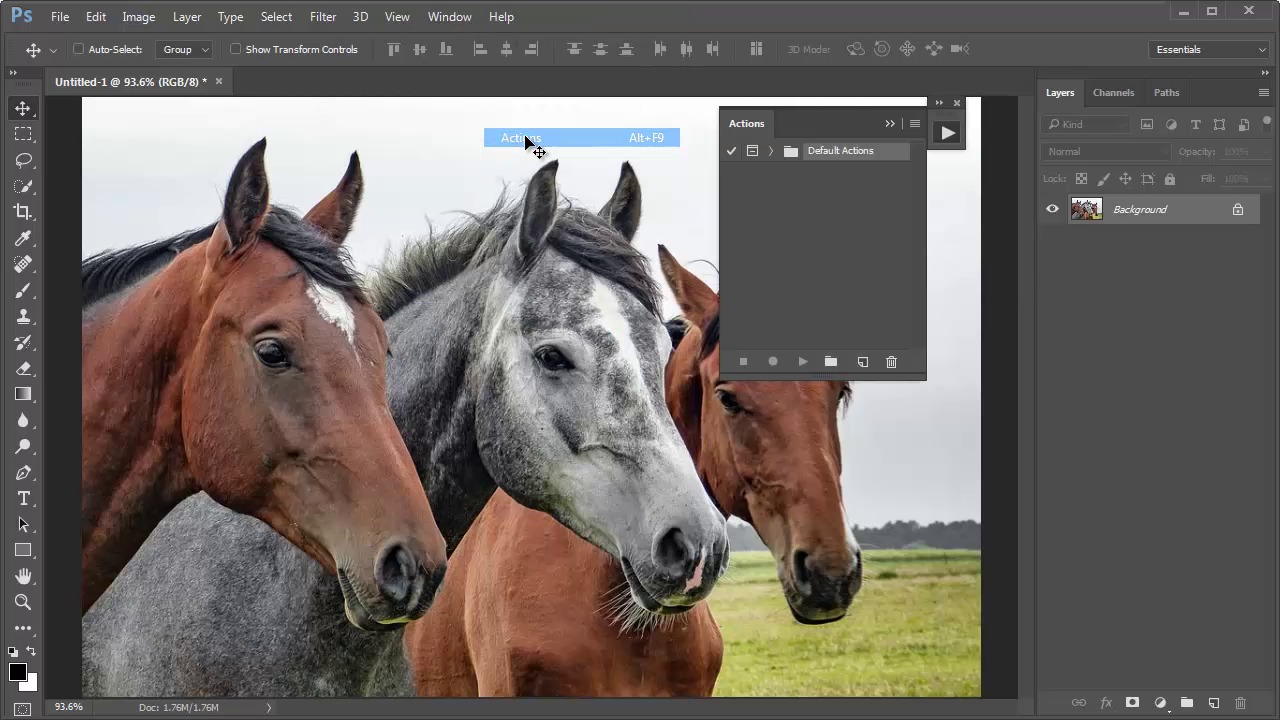
To boost up the clarity of the image below, I'll be using the 10 Premium Photo Sharpen Actions package from GraphicRiver. Feel free to download this action and try it yourself using this beautiful Horse Stock from the video.


First load the action of your choice. Go to Window > Actions and select the Load Actions option located within the Actions panel. Then select the action you just downloaded and hit Load.


When you're ready to apply the effect, simply select one of the Sharpen Actions and Press Play.


Explore the different sharpness options available by playing with the other actions that came included in the package. It's really that simple! You can now enjoy the new crispness of your images for high impact photography!
Here is the final effect below.


A Bit More Detail
Want to learn more about Photoshop Actions? Check out this fantastic list of tutorials:

 Getting Started With Photoshop Actions


 Adobe Photoshop Actions, Explained in 60 Seconds

 5 Courses to Help You Create Better Photoshop Actions


 How to Build Custom Photoshop Actions For Your Photography Workflow

 How to Relight Portraits in Post With These 6 Dramatic Photoshop Actions


 100+ Super Awesome Adobe Photoshop Actions From Envato Elements

60 Seconds?!
This is part of a series of quick video tutorials on
Envato Tuts+ in which we introduce a range of subjects, all in 60
seconds—just enough to whet your appetite. Let us know in the comments
what you thought of this video and what else you'd like to see explained
in 60 seconds!
 By
By






