

Creating videos has become an increasingly popular way to express creativity and share ideas. However, with this ease of sharing comes the risk of others using your videos without permission. One way to protect your videos is by using a watermark. But what is a watermark on a video?
So in brief, what is watermark in video? Essentially a watermark is a simple mark, text or logo placed on the video. It can be placed anywhere on the video and shows who created it, whilst also expressing your brand, making it harder for others to use it without permission. In this beginner's guide, we'll explore the world of video watermarks, their purpose, types, and how they impact the online video landscape.
What You'll Learn in This Video Watermark Tutorial:

- Learn what is watermark in video and why you should use them
- Understand the different types of watermarks and how they impact the video
- Understand how video watermarks are created as well as what is a watermark on a video
- Learn how to create video watermark in your projects
- Learn what is a watermark on video and how it can affect the viewing experience
This guide will help you understand the importance of video watermarks and what is watermark in video, the different types, and how to create video watermark and add one to your videos. We will also provide a step-by-step tutorial for those who are ready to create their own watermark. This way, you can keep your videos safe and promote your brand.
What is a Watermark on Video?
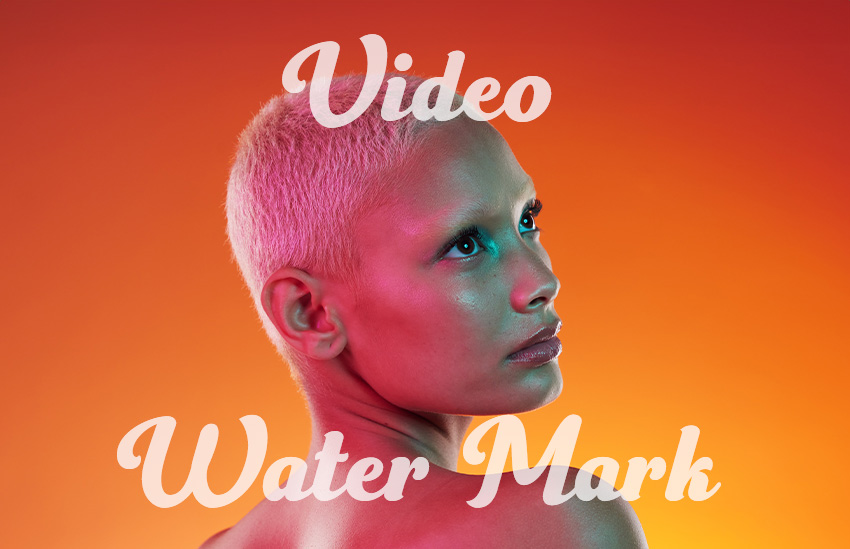
So what exactly is a watermark in video? A watermark in video is a distinct signature (often a logo or a snippet of text) superimposed onto the video, signifying the creator's identity while deterring unauthorized reproduction.


This is usually visualized as a semi-transparent logo, text, or graphic that is superimposed onto a video to identify its source or protect its content. These watermarks serve various purposes, from branding and copyright protection to deterring unauthorized distribution.
Watermarks are now commonly seen across various platforms. They appear on stock photos as large and prominent marks to deter unauthorized usage, while on YouTube videos, they are often small and placed off to the side.
The Purpose and Impact of a Video Watermark


So now that you know what is a watermark on a video is, let's understand why we use them. While it doesn't completely prevent the unlawful use of your videos, it does present a challenge for those attempting to claim ownership of your content.
Watermarks can therefore serve as a deterrent to piracy, an avenue for brand promotion, and a hallmark of professionalism in the content. Let's take a look at the four main purposes of video watermarks and how they can affect our viewing experience:
-
Branding: One of the primary reasons for using video watermarks is branding. Content creators, video producers, and companies often add their logos or names to videos to promote their brand. This branding helps viewers recognize the source of the video and can be crucial for marketing and advertising.
-
Copyright Protection: Copyright infringement is a common concern for content creators and video watermarks can be used to protect intellectual property. They can be a deterrent to unauthorized use or distribution of the content, as they make it more challenging for someone to pass off the video as their own or use it without permission. If someone attempts to steal or use copyrighted material without permission, the watermark serves as evidence of ownership.
-
Ownership Attribution: Video watermarks can help attribute ownership, especially in collaborative projects. When multiple individuals or entities contribute to a video, watermarks can indicate who played a role in its creation. Whether it's a film production team or a group of content creators on a platform, watermarks make it clear who was involved in the video's creation.
-
Security: In some cases, video watermarks are employed for security purposes. For instance, surveillance footage often contains watermarks to verify its authenticity and origin. They can be crucial in legal proceedings, as they ensure the integrity of the recorded footage.
- Viewer Experience: While watermarks serve important purposes, they can sometimes interfere with the viewer experience if not implemented thoughtfully. Overly obtrusive watermarks can be distracting and frustrating for viewers. Striking the right balance between visibility and non-intrusiveness is crucial.


Types of Video Watermarks
Now that we understand what is a watermark on a video, let's take a look at what forms they can come in. Video watermarks come in several forms, each serving different purposes and offering varying levels of visibility. Here are some common types:
1. Text Watermarks

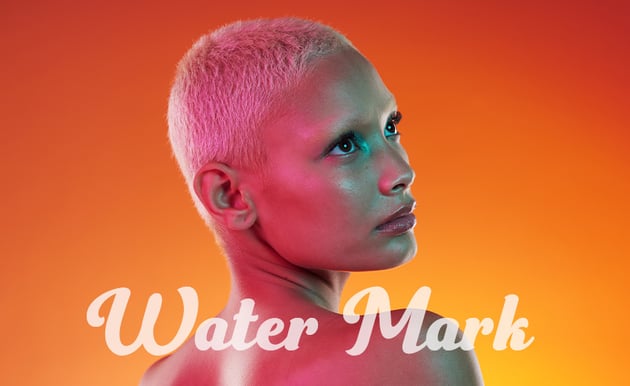

Text watermarks are composed of text, such as a company name, copyright notice, or a message. They are usually overlaid on the video in a specific corner or at the bottom. Text watermarks are often semi-transparent to ensure they don't obstruct the video content, yet they are still visible enough to serve their purpose.
2. Logo Watermarks



Logo watermarks involve placing a company or brand logo onto the video. Like text watermarks, they are typically semi-transparent and positioned in a non-intrusive area. Logo watermarks help with branding and immediate recognition.
3. Image Watermarks



Image watermarks can be any graphic element, such as a symbol, icon, or graphic design, superimposed onto the video. These graphics are often transparent to maintain video visibility while adding a layer of protection or branding.
4. Timecode Watermarks


Timecode watermarks are used mainly in the film and video production industry. They display the time and frame information, aiding in precise editing, synchronization, and referencing during post-production.
5. Invisible Watermarks


Invisible watermarks are not visually detectable in the video. Instead, they are embedded in the video's data, making them imperceptible to the viewer. These are used primarily for copyright protection and content tracking, as they can be used to prove ownership if a video is stolen or used without permission.
How Are Video Watermarks Added?
That's it when it comes to learning what is a watermark on video is! Now let's take a look at how we can add them to our footage.
Video watermarks can be added during the video editing process or dynamically added when the video is streamed or uploaded to an online platform. Here are the two main methods:
1. Editing Software


Video editing software like Adobe Premiere Pro, Final Cut Pro, or even free options like Shotcut, provide tools for adding watermarks during post-production. Content creators can choose the type of watermark, its position, transparency, and duration.
The process usually involves importing the video into the editing software, adding the watermark element (text, logo, or image), and adjusting its settings. Once satisfied with the placement and appearance, the edited video is then rendered with the watermark.
2. Dynamic Watermarking


Dynamic watermarking is often used by online platforms to protect copyrighted content when it is streamed or downloaded. Here, the watermark is added in real-time, just before the video is served to the viewer. This ensures that even if someone tries to download the video and remove the watermark, the original file remains untouched.
How to Create a Video Watermark: A Step-by-Step Tutorial
1. Designing Your Video Watermark


So now you know what is a watermark on video is, let's learn how to create a video watermark! The first step in creating a watermark is conceptualizing a design that resonates with your brand or personal style. This could be a stylized version of your brand's name, logo, or any other unique symbol that represents you or your brand.
Once you have a concept in mind, it's time to bring it to life. Use programs like Adobe Illustrator or Adobe Photoshop to create an image and export it as a PNG file with an alpha so that the background is transparent.
Make sure that the design is simple, easily recognizable, and not too intricate as it will appear smaller on the screen.
2. Selecting Your Video Editing Suite


The next step is choosing a video editing software that facilitates watermarking. Popular professional choices include Adobe Premiere Pro, Adobe After Effects and Final Cut Pro. However feel free to use budget-friendly options like Shotcut or Lightworks as they are well suited to the task as well.
Now just find your video file and import your video into the editing suite so that it is ready for the watermark. This is usually done through the file menu or by dragging and dropping the file into the software.
3. Importing and Positioning Your Watermark



Import your designed watermark image into the video editing software. This is also usually done through the file menu or by dragging and dropping the file into the software.
Once imported, drag your watermark to the desired position on the video frame. It's common to place watermarks in the bottom right or left corners to ensure it doesn't obstruct the main content.
Adjust the size to ensure it's visible but not overwhelming, and modify the opacity to your liking for a professional look. Drag your watermark onto the video timeline, ensuring it spans the length of your video or the specific segments where you want it to appear.
4. Review and Upload



Review your video to ensure the watermark appears as desired across all scenes. Make any necessary adjustments to its position, size, or opacity to ensure consistency and professionalism.
Once your video watermark is ready, simply export the video and upload it to your platform of choice, such as YouTube, Instagram or TikTok.
Best Practices for Using Video Watermarks


Now that you understand what video watermarks are and how to make them, it's essential to know how to use them effectively. Here are some best practices to consider when adding watermarks to your videos:
1. Keep It Subtle
Strive for a balance between visibility and subtlety. A watermark should be noticeable enough to serve its purpose but not so intrusive that it distracts from the video content. Use transparency settings to ensure it doesn't obstruct important visuals or text in your video.
2. Position Wisely
Choose the watermark's placement thoughtfully. The bottom right or left corners are common choices, as they are less likely to interfere with the viewer's focus. Avoid placing watermarks in the center of the video, as this can be highly distracting.
3. Maintain Consistency
If you're using video watermarks for branding, ensure consistency across all your videos. Use the same logo, font, and design to reinforce your brand identity. This consistency will help viewers associate your watermark with your content.
4. Use High-Quality Watermarks
Whether it's a logo or text, make sure your watermark is of high quality. A blurry or pixelated watermark can diminish the overall quality of your video and harm your brand image.
5. Time and Duration
Consider the timing and duration of your watermark. For example, if you're using it for copyright protection, you might want the watermark to appear throughout the entire video. However, for branding, it may only need to appear at the beginning and end.
6. Test on Different Devices
Test your videos with watermarks on various devices and screen sizes to ensure they remain legible and unobtrusive. What looks good on a computer screen might not be as effective on a mobile device or a large television.
7. Protect Original Files
If copyright protection is a priority, make sure to keep copies of your original, watermark-free videos in a secure location. This way, you can prove ownership if needed.
8. Stay Informed About Copyright Laws
Understand copyright laws and regulations in your region. While watermarks provide a layer of protection, knowing your legal rights and how to enforce them is equally important.


By following these best practices, you can effectively use video watermarks to achieve your goals, whether it's promoting your brand, protecting your content, or attributing ownership. Remember that the key is finding the right balance between visibility and unobtrusiveness to enhance the viewer experience while achieving your desired objectives.
Envato Elements Premium Offer(Design With Unlimited Use)



Now that you know what is a watermark on video, why not sign up for Envato Elements and get access to thousands of unlimited use graphics and templates. Get great web themes, stock music, and more—all for one low price.



That’s right! Download as many stock images and videos as you want, then customize them to create your own video project.
Conclusion
So there you have it! Now you understand what is a watermark on a video and how to create a video watermark.
These steps show you how to make and add a video watermark to your videos, providing a way to protect and promote your work. A good watermark not only shows that you own the content but also helps make your brand more recognizable and professional.
Video watermarks are a fundamental element of the digital video landscape. They serve multiple purposes, including branding, copyright protection, content attribution, and security. By understanding the different types of watermarks, what is watermark in video and how they are added to videos, content creators, businesses, and individuals can leverage them effectively to protect their intellectual property, establish their brand, and maintain the integrity of their content. As you explore the world of video creation and consumption, you'll undoubtedly encounter video watermarks, each telling a story of ownership and purpose.
 By
By






