

TikTok is a hugely popular social network for 2024. It features fun and engaging short-form videos that users share across the world. It's only natural that you're looking for the best way to edit TikTok videos. The trick is to stand out.


In this tutorial, you’ll learn how to edit TikTok videos. We’ll explore how to make TikTok videos that amaze. You’ll learn how to edit a TikTok video so that it wows viewers. And we’ll highlight the best way to edit TikTok videos that rise above others.
Let’s look at a comprehensive guide to everything you need to know about how to edit TikTok videos in 2024!
How to Make TikTok Videos that Viewers Love (Tips and Tricks)
TikTok videos are viewed by scrolling through an endless series of short posts. What does this mean for you? Well, you have to make a stunning and inspiring first impression in only a second or two. Otherwise, a viewer will scroll past without a second thought.
I’ve gathered top ideas on how to edit on TikTok. I’ve chosen ideas that apply to both key methods of editing on TikTok. You can film and edit in the app itself. Or, you can use another editor (like Adobe Premiere Pro), and then post the finished edit on TikTok.


So, what is the best way to edit TikTok videos? The way that works best for you! Embrace the tools around you to help make a winning impression.
Planning How to Edit TikTok Videos (What You’ll Need)
What’s the first step to learning how to edit on TikTok? Knowing where to begin. To see how to make TikTok videos from scratch, be sure to embrace these tips and tricks.
1. Shoot or Source Top-Quality Video
The name of the game on TikTok is video. You’ll need eye-catching, high-quality footage for every single edit. Here, you have two options. First, you can film your own videos right on your phone. This can be done using the TikTok app, or the default camera application.


You can also source premium stock video from Envato Elements. With thousands of clips to choose from, you can find footage on every theme imaginable. It’s perfect if you need a scene that you don’t have the time or access to film by yourself.
2. Know the Importance of Great Music and Sounds
Knowing how to make TikTok videos that stun also includes audio. Catchy music and sound effects are a surefire way to keep viewers happy. They add a fun flair to every TikTok video that you make.
TikTok includes a vast array of sound effects built in. Or, you can again turn to Envato Elements for music and sounds to use in your next TikTok video.
Once you have sounds picked out, you can edit them into your videos. It’s a great way to transform mundane videos into spectacular multimedia designs.
3. Choose an Editing Tool
When you think about editing TikTok videos, your tool of choice is a key decision. For basic edits, TikTok itself has everything you need to create videos right in the app.
But for more robust designs, there’s no substitute for going premium. Envato Elements offers thousands of stunning TikTok templates for Adobe Premiere Pro and more. These include many full-featured templates that let you craft amazing TikTok videos in moments. To use them, you’ll simply drop your own content into placeholders within the template.


You can also save time by embracing Elements TikTok effects. For example, you’ll see countless text themes, visual effects, and more.
These far exceed the limited set of options found within TikTok. And you gain the advantage of using a fully-featured desktop video editor to work, instead of a small screen on your phone.
4. Understand Aspect Ratio and Timing
Knowing how to edit a TikTok video involves knowing the key specifications needed. Videos on TikTok can last up to 10 minutes in length.
The minimum is three seconds. However, your best bet is to stay on the shorter end of the spectrum. TikTok is a fast-paced platform. If you run too long, you’ll risk losing many of your viewers. Editing TikTok videos should remember this principle.


Aspect ratio refers to the dimensions of your video. TikTok is a mobile app, and as such, videos should be tailored to fit on phone screens.
When you film a video for TikTok, always hold your phone vertically (in portrait mode). If you edit, remember to use a 1:1 or 9:16 aspect ratio. This way, videos will fill the screen without bands at the top and bottom.
How to Make TikTok Videos with Creative Edits
Once you have the mechanics above in mind, it’s time to learn how to edit TikTok videos. Below are some key ways for how to edit on TikTok in ways that grab the attention of users.
1. Embrace Flashy Graphics
This cannot be said enough: choose flashy graphics. The key is to be bold and brave with your styling. In many ways, TikTok is a race to see who can create the most visually stunning, funny, or startling videos.
Going for dull effects, or those that don’t show up on small screens, will cost you viewers and engagements.


Aim for the dramatic as you edit. Try to use flashy overlays, like animations and transitions. And don’t forget to use plenty of sound effects like those we looked at above.
Remember this: you’re crafting a full audiovisual experience in a short period of time. Make every second count - especially the first few.
2. Choose Sharp and Crisp Text Captions
When you think of how to make TikTok videos, text is often the forgotten hero. But think back to your favorite TikToks. Odds are, they had labels or text captions.


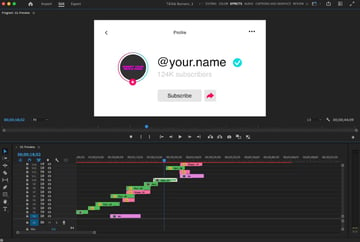
When you edit in TikTok, you have an array of text options at your fingertips. Once again, keep in mind that these videos are shared on phone screens. Be brief, not wordy. Small print is off-putting, and will distract audiences from the actual videos playing in the background.
Equally important is wording. Choose text that’s both visually attractive and thought-provoking. The ultimate goal is to keep viewers watching.
3. Keep Things Moving On-Screen
When you edit in TikTok, a great technique is to splice multiple clips together. Simply playing one long video can get dull. And remember: skipping on TikTok is as easy as flicking your thumb. You can’t afford to bore your audience.
By moving from scene to scene, you can maintain this focus. When paired with dramatic audio, it’s a powerful one-two punch. TikTok makes it easy to share multiple clips in one video, thanks to powerful transitions. These effects help you segue from one view to another. Even the changes look great on-screen.
4. Use Filters for Dramatic Effects
Filters are versatile tools that I always recommend for editing on TikTok. The best way to edit TikTok videos with eye-catching styles is to not rely strictly on what your camera captures. That’s where filters come in.


Filters are presets that apply edits to a given video. For example, they may add a cool color hue. Or, they might add a blur or even enhance given shades.
When you apply them, you’ll transform the visual look of any video. You won’t be left relying only on what your camera saw. Controlling the scene is now in your hands.
How to Edit a TikTok Video for Max Engagement
You’ve learned how to edit a TikTok video by adding an array of styles. These include filters, cool text, and flashy graphics.
But will this be enough to wow your audience and keep them coming back for more of your TikTok posts? Not quite. You also have to focus on how to engage with your viewers now, and in the future.
1. Be Creative in Your Narrative
TikToks aren’t just narrative videos. And you’re not just a video editor or producer when you post on the app. You are a storyteller. No matter how good your effects are, they should help you tell those stories.

My advice here is to be authentic. What kind of TikTok video would keep you watching? And what are you trying to do? Match your video tone with your desired message.
Set the stage with effects, but always tell your story. Promoting a product? Show how it helps users live a better life. Trying to connect with friends? Be funny, and inspiring.
2. Keep on Top of Trendy Ideas
TikTok is really at the forefront of modern cultural trends. Videos that are hot one day may be irrelevant tomorrow.
As you imagine how to make TikTok videos of your own, keep up with the latest trends. What kinds of videos are grabbing the most attention? Study up on those, and see what aspects of them you can channel in your own work.
I like to peruse the For You panel on TikTok. At any moment - night and day - it’s a quick snapshot of the most popular TikToks. They’re fun and interesting to watch. And they just might help you go viral on your own, by embracing the style tips and aesthetics you’ll watch within them.
3. Create a Consistent Aesthetic
Consider a last tip for how to edit TikTok videos. Many viral posts are built by content creators. Frankly, your odds of a smash hit video aren’t that high if you only post once. The key is to post over and over, to build a personal brand that audiences connect with.

Part of this directly involves the process of editing TikTok videos. Choose an aesthetic of your own, and stick with it. Remember our ideas about filtering, graphics, and more?
Choose those elements that work best for you. Then, stick with them! Over time, you’ll craft a recognizable “look” for your TikTok videos. And you’ll work to gain a following around the globe.
This even benefits you from a workflow standpoint. By using similar graphics and effects, you’ll save time when you edit. You won’t have to learn new graphics and digital assets over and over again.
The Top Source for the Very Best TikTok Video Templates (With Unlimited Downloads)
Premium TikTok video templates are the best way to save time and create amazing posts of your own. And the top source for these is Envato Elements. With thousands of TikTok video templates and effects to choose from, countless amazing designs are right at your fingertips.


The Elements offer is unbeatable: unlimited downloads. For a flat monthly rate, you can download and use as many premium video templates as you want. And that’s not all. Elements offers over 15 million digital assets (and counting). You’ll find all the music, sound effects, and fonts that you’ll need, and so much more. You can’t afford to miss out.


Choose premium templates from Envato Elements and enjoy:
- Inspiring styles. Even at our most creative, sometimes we run out of ideas. But Elements has you covered. Templates are crafted by creative pros with your needs in mind.
- Themed layouts. Need your TikTok vids to stand out? Elements is the way. Themed layouts focus on specific topics, and complement the content you already have to share.
- Ease of use. Not a video pro, but find yourself looking for effects more powerful than TikTok’s default options? Elements templates are easy to use, and are made for creators of all skill levels. Plus, many include helpful tutorials right inside.
As you can see, Envato Elements templates are the best way to edit TikTok videos with ease in 2024. Join today and get started.
Explore the Best Way to Edit TikTok Videos Today
In this tutorial, you learned how to make TikTok videos starring your favorite content! In the fast-paced TikTok world, the key is really to make a strong impression early and often.
To captivate your audience, embrace the highest quality digital assets. Then, choose an editing tool that you enjoy using. And remember: you’re crafting a true multimedia experience. To your high-quality videos, add plenty of eye-catching effects and fun sounds.
Engaging with others on TikToks means that you’re about to become a storyteller. And by embracing the tips and tricks above, you’re well on the way to viral success on TikTok. Get started today!
 By
By






