
 Lessons: 18Length: 2 hours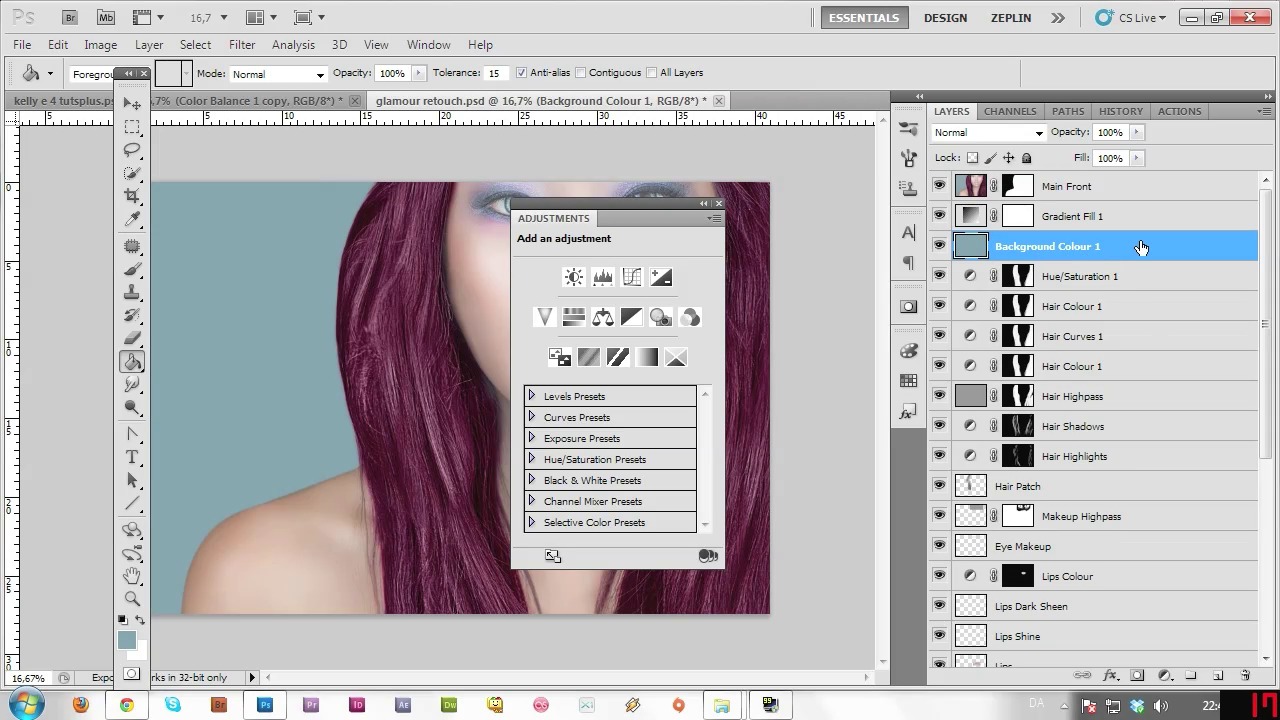
- Overview
- Transcript
2.11 Masking and Changing the Background
At this point, it’s time to mask out the face, and start changing the background to make it all that more interesting.
1.Introduction
1.1Introduction03:39
1.1
Introduction
03:39
1.2Tools of the Trade03:43
1.2
Tools of the Trade
03:43
2.Glamour Photo Retouching
2.1Skin Cleaning07:43
2.1
Skin Cleaning
07:43
2.2Cleaning up the Hair11:21
2.2
Cleaning up the Hair
11:21
2.3Facial correction with Liquify13:14
2.3
Facial correction with Liquify
13:14
2.4Skin Smoothing05:49
2.4
Skin Smoothing
05:49
2.5Correcting Shadows04:36
2.5
Correcting Shadows
04:36
2.6Correcting Highlights04:11
2.6
Correcting Highlights
04:11
2.7Retouching the Eyes07:21
2.7
Retouching the Eyes
07:21
2.8Retouching the Lips and Adding Makeup08:23
2.8
Retouching the Lips and Adding Makeup
08:23
2.9Retouching the Hair - Cleaning, Highlights, and Shadows07:42
2.9
Retouching the Hair - Cleaning, Highlights, and Shadows
07:42
2.10Retouching the Hair - Adding Shine and Changing Colour06:34
2.10
Retouching the Hair - Adding Shine and Changing Colour
06:34
2.11Masking and Changing the Background05:28
2.11
Masking and Changing the Background
05:28
2.12Adding the Diamonds08:01
2.12
Adding the Diamonds
08:01
2.13Masking the Flowers06:05
2.13
Masking the Flowers
06:05
2.14Adding in the Flowers07:08
2.14
Adding in the Flowers
07:08
2.15Colour Correction06:06
2.15
Colour Correction
06:06
2.16Conclusion02:07
2.16
Conclusion
02:07




