Spanish (Español) translation by Javier Salesi (you can also view the original English article)
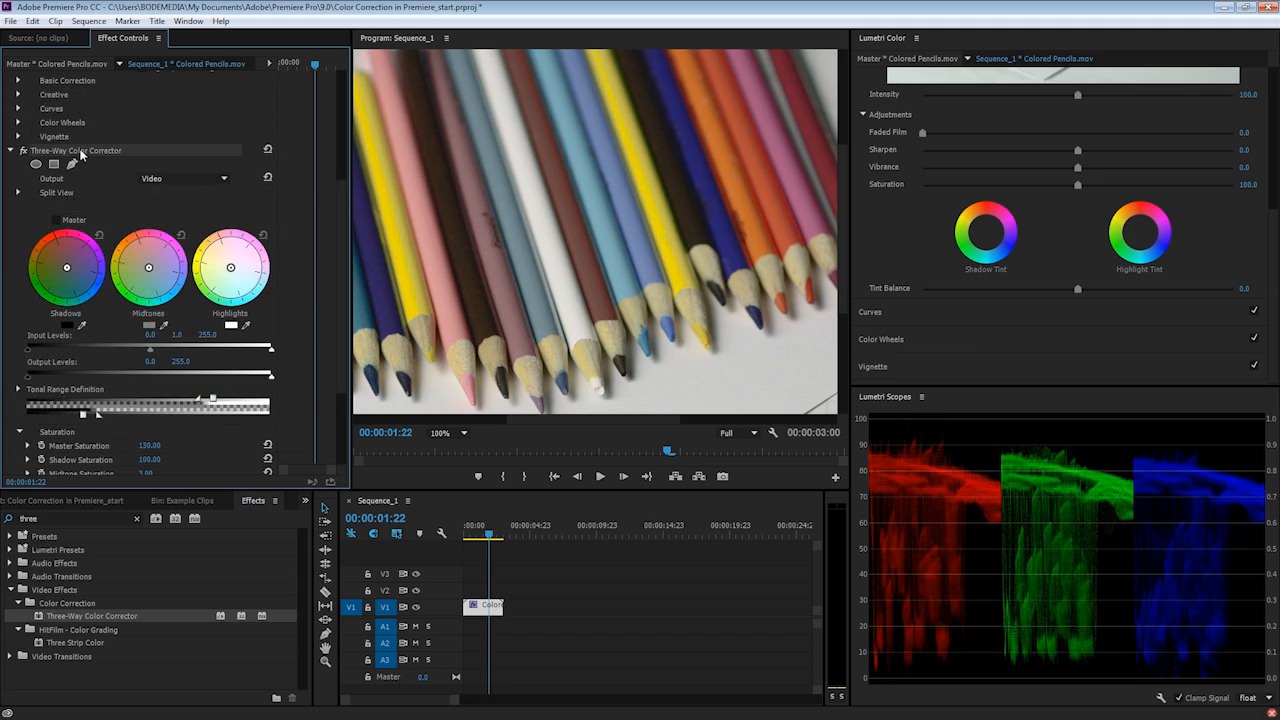
Saturation describes the intensity of colors in an image or video. When a frame is totally desaturated, it appears as black and white. Conversely, increasing saturation will make the colors more present and noticeable.
Adobe Premiere provides precise tools for adjusting saturation. You can even adjust the saturation for individual colors. Imagine dialing down the green tones in the foliage in a frame, or increasing the blue saturation to bring out the sky.
Whether you're adjusting saturation for creativity or correction, I'll show you how to do that in this quick video lesson. Check out the video above to learn more.

Watch the Full Course
Adjusting your video footage doesn't have to be hard!. Tweaking color, white balance, skin tone and more is an important part of the post-production process.
Adobe Premiere has all of the tools you need, but that doesn't mean they're easy to get started with. Skipping that learning curve is much easier with the full course How to Color Correct Video with Adobe Premiere.
You can take this course using a subscription to Envato Elements. For a single low monthly fee, you get access not only to this course, but to the entire library of 1,000 courses.


 By
By