Photo Editing & Post-Processing

Take your images to the next level with expert editing and post-processing. Learn how to enhance your photos using popular software such as Lightroom and Photoshop.

All Editing & Post-Processing content:

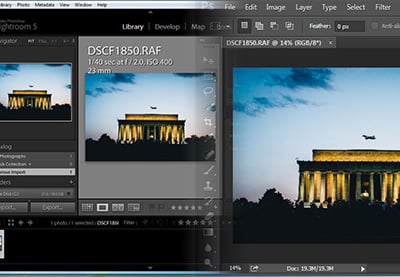
  1. How to Use Lightroom Edits Outside of Lightroom

    How to Use Lightroom Edits Outside of Lightroom

    Tutorial Intermediate

    In this tutorial, you'll learn how to enable metadata to use Lightroom edits with other software, such as Photoshop and Bridge.

  2. Creating a Realistic Composite Photo with Displacement Mapping

    Creating a Realistic Composite Photo with Displacement Mapping

    Tutorial Intermediate

    Photographing people on location sometimes just isn't possible. In this example, I'll show you how to get your subject realistically composited into a...

  3. Using Blurring, Sharpening, Dodging, Burning and Sponging in Pixelmator

    Using Blurring, Sharpening, Dodging, Burning and Sponging in Pixelmator

    Tutorial Beginner

    Pixelmator is an easy-to-use, fast, and powerful image editing app for the Mac. In this tutorial, I will show you how you can make an image stand out more by...

  4. Creating a Skin-Tearing Illustration in Photoshop

    Creating a Skin-Tearing Illustration in Photoshop

    Tutorial Advanced

    Create an image of a person tearing away their skin to reveal mechanical insides.

  5. How to Create a Portrait Mask Illusion With Photoshop

    How to Create a Portrait Mask Illusion With Photoshop

    Tutorial Intermediate

    Combine two photos in Photoshop to create a photo-realistic mask.

  6. Shooting a Vintage Car Maternity Session with Children

    Shooting a Vintage Car Maternity Session with Children

    Tutorial Beginner

    The popularity of the maternity session is on the rise, and you might find your clients aren’t expecting their first child, but perhaps their second or...

  7. Creating a Magic Photo With a Magician and Playing Cards

    Creating a Magic Photo With a Magician and Playing Cards

    Tutorial Advanced

    In this tutorial, I'm going to show you to create the seemingly impossible. I jammed as much chaos as possible into a single photo to create a visual feat...

  8. Create a Surreal Miniature Portrait: Post-Production

    Create a Surreal Miniature Portrait: Post-Production

    Tutorial Advanced

    In this tutorial, I will show you how to create a surreal, miniature portrait using some photos that I shot from a previous tutorial on Tuts+. In the...

  9. Restoring Old Photos Using Channels in Photoshop

    Restoring Old Photos Using Channels in Photoshop

    Tutorial Intermediate

    Some recent unfortunately events have led to me inheriting many old family photos, some dating back to before World War II. Many of these photos are damaged,...

  10. Quick Tip: Applying Actions With the Image Processor

    Quick Tip: Applying Actions With the Image Processor

    Tutorial Beginner

    If you need to resize a load of images at once, Adobe's Bridge image processor has long been the way to go. The image processor, however, is capable of much...

  11. Learn 3 Great Ways to Dodge and Burn in Photoshop

    Learn 3 Great Ways to Dodge and Burn in Photoshop

    Tutorial Intermediate

    Dodging and burning, the selective brightening and darkening of areas of an image, is one of the oldest forms of image manipulation. While analogue...

  12. How to Create a Magical Photo Manipulation: Post-Production

    How to Create a Magical Photo Manipulation: Post-Production

    Tutorial Advanced

    Artists often work with a team of individuals to complete a project. This team could include a client, a creative director, an art director, a photographer,...