
 Lessons: 13Length: 1.3 hours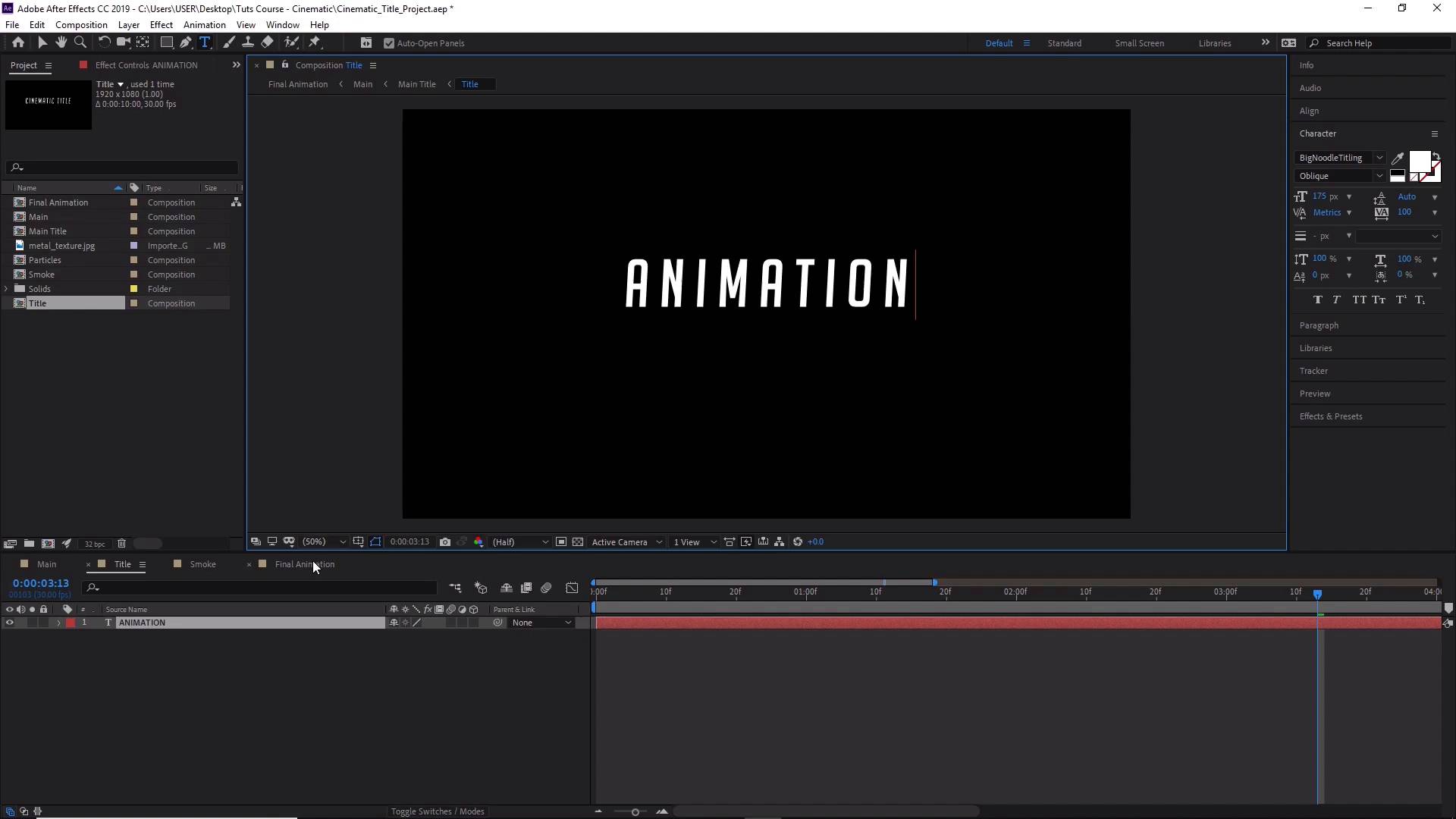
- Overview
- Transcript
4.2 How to Change Text
In this lesson, you will learn how to replace the text with whatever you might need.
1.Adobe After Effects Tools
1.1Welcome to the Course00:44
1.2Adobe After Effects Setup04:31
2.Cinematic Text Animation
2.1How to Animate Text08:07
2.2Adding Lighting and Shadow Effects11:54
2.3Adding Lighting Effects to the Background06:05
3.Creating Atmosphere
3.1How to Create Light Streaks06:55
3.2How to Animate the Light Streaks08:36
3.3Creating and Controlling Particle Effects11:12
3.4How to Create and Animate Atmospheric Smoke08:46
4.Final Touches
4.1How to Create a Quick Zoom Animation06:22
4.2How to Change Text01:36
4.3How to Render Your Video01:52
5.Conclusion
5.1Conclusion00:45
4.2 How to Change Text
Hi everyone and welcome back to how to create a cinematic text animation in After Effects. In this lesson, we'll learn how to change the text of our animation. So now that we have our video completed and you're happy with the way it looks, what happens if you now decide that you wanted to change the text? Do you have to start from the beginning again, or not necessarily? Now this is why we've given the text its own composition. So if we double-click on the title composition here we can now change the text to whatever we wanted. So if we wanted to change cinematic title to something like animation. We could do that, and if we head back to our final animation comp you'll notice that the text has changed and the animation still stays the same. So let's go back to our preview, and play. You'll see that our animation is still there. You can also change the font family in here as well and also the size of the text and the spacing, etcetera. And if you have an image file, you can also use this composition here to replace the text as well. All you have to do is simply drag your imported file into the composition and hide the text if you need. Great, so that's it for this video. In the next video we'll learn how to render your animation, see you all there.





