
 Lessons: 7Length: 32 minutes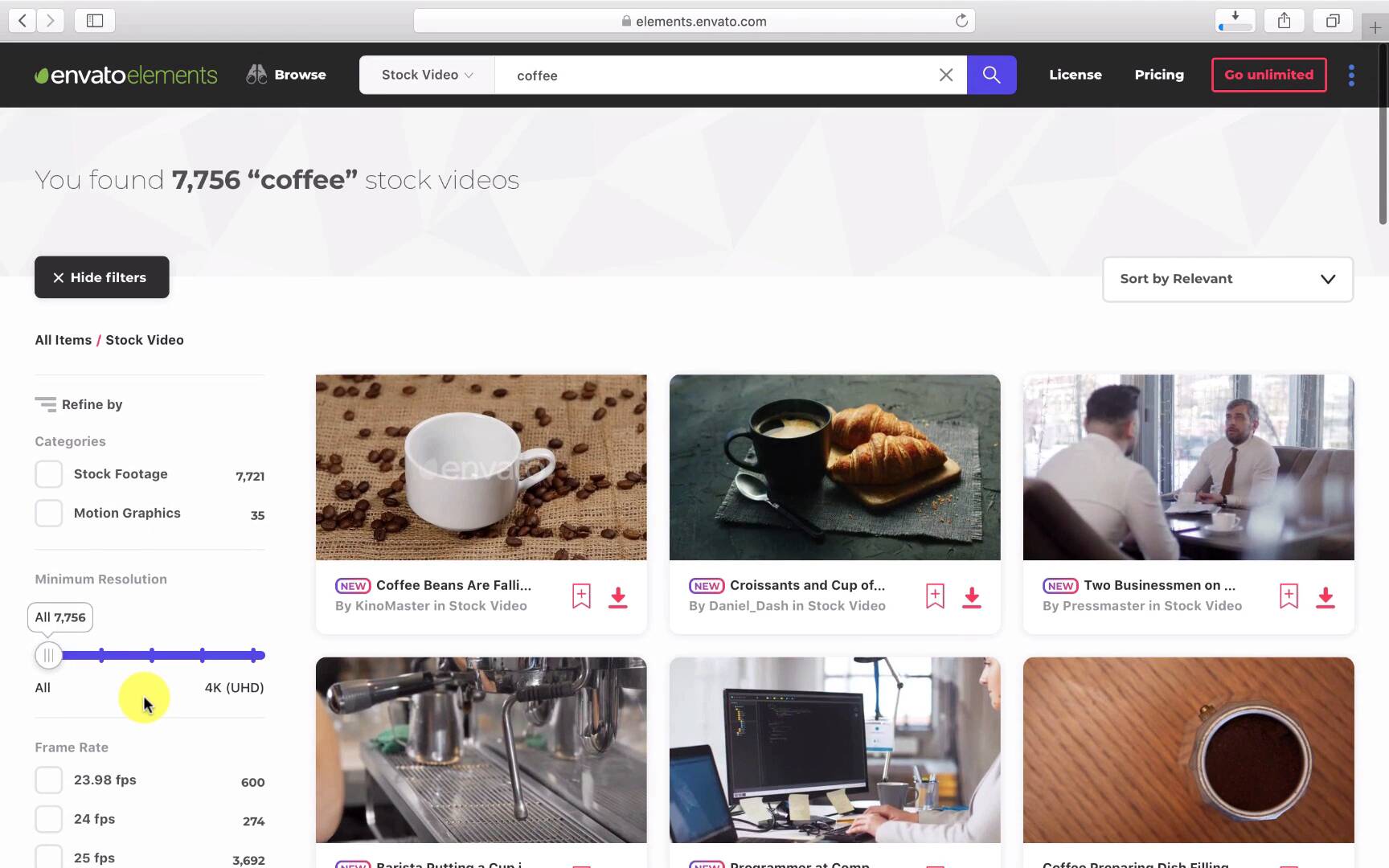
- Overview
- Transcript
2.2 Downloading Dope Transitions
Envato Elements is a great resource to help you take your Adobe Premiere transitions—and your video projects in general—to the next level! In this lesson, we'll take a quick look at some of the best templates Elements has to offer.
Related Links
1.Introduction
1.1Introduction00:30
2.How to Add Transitions in Premiere Pro
2.1File Management02:53
2.2Downloading Dope Transitions01:29
2.3How to Use Dope Transitions10:37
3.Using Dope Transitions to Elevate Your Instagram Videos
3.1Using Instagram Transitions in Premiere Pro06:21
4.Master Dope Transitions
4.1Master Dope Transitions10:03
5.Conclusion
5.1Conclusion00:32
2.2 Downloading Dope Transitions
All right, here's the homepage for Dope Transitions for Premiere Pro by CandyMustache on the Envato elements website. So let's go ahead and download this. You'll notice right off the bat a pop up will occur and all you have to do is create a project like tuts + in this case, go over to add in download and check it out from there. Moving ahead, we can check out other stock video. And for this case, I used some coffee. So we can go ahead and search coffee and see what we can work with. There's tons of options. What's great about it is you can have stock footage, motion graphics, and you can select the resolution you'd like to work in as well as the frame rate. All right now let's move over to music and check out what it has to offer. What's nice about this is you can search whatever style of music you're looking for by genre or feel. So you could search horror music, sci-fi, instrumental, country, trap, and you can select what kind of vocals you like, whether it's lead vocals, background, male or female, or none at all, as well as the tempo. One of my favorite assets that envato elements has to offer are its video templates. There are a ton of great tools to help you round out your projects, from light leaks, transitions, call outs, and other texture layers to fill out your work. All in all, I'd recommend checking in envato elements to see how it could help you with your work.





