
The great thing about digital photography is you can take photographs without worrying about costs. The challenging thing about digital photography is you can take lots of photographs. Instead of boxes, filing cabinets, and binders spilling a chaos of negatives and prints, we have computers, memory cards, and external hard drives packed full of image bits and bytes. It can get overwhelming, fast.
In this guide, you'll learn how to build an image-processing workflow setup that re-enforces good digital asset management practices and transcends operating systems, applications, and the generations.
What is Digital Asset Management?
For
the purpose of this series, we define digital asset management as a
system of practices, conventions, hardware and software for organizing,
sorting, storing, and sharing digital images and video files.


Digital Asset Management Systems for Photography
Digital asset management is based on a few key principles. Use these guidelines when developing your DAM workflow:
The Anatomy of a Digital Asset Management System
7 Golden Rules of Digital Asset Management
The Digital Pipeline: How to Safely Manage Images and Video from Capture to Archive

The Digital Shoebox: Minimum Viable Digital Asset Management

How to Build a Photo Library That Works With Any Application
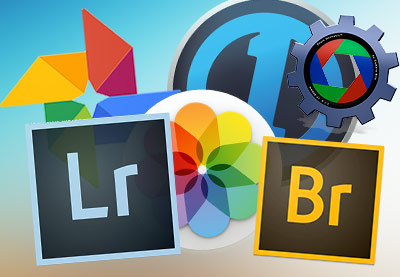
How to Choose Asset Management Software for Your Digital Picture Archive
How to Add Information and Organization to Your Photography Collection
A
little bit of DAM can go a long way! Using keywords deliberately,
sorting and rating your images, and adding contextual information is
essential for a healthy archive.

Using a Controlled Vocabulary to Organize Digital Photographs
How to Review a Photoshoot : Quick Intro to Digital Asset Management in Lightroom Classic

Caption, Description, Title, ALT: How to Add Semantic Information to Images
Digital Asset Management Courses for Photographers
For more in-depth learning, check out a few of our our DAM-related courses
New Course: Adobe Lightroom CC for Photographers
New Course: The Living Archive in Lightroom
New Course: Apple Photos for Photographers

Free DAM! 5 No-Cost Programs to Manage Your Digital Image Collection

How to Set Up a Fast and Flexible Library With Smart Previews in Adobe Lightroom

Implementing a Controlled Vocabulary in Adobe Lightroom

Choosing Data Storage Media for Photos and Video: When Not to Use Optical Media

What's in a Name? Nomenclature, File Structure, and Saving Digital Images

ABCs of Photo Sorting: How to Turn a Mess of Pictures into an Organized Collection

How to Add Metadata to Archival Images

How to Get Started with Darktable, a Lightroom Alternative for Mac and Linux

How to Sort Pictures Automatically With Automator for Mac

How to Quickly Rename a Batch of Pictures With Lyn for Mac

How to Use Albums and Smart Albums in Apple Photos

How to Organize Your Pictures for Free With Daminion

How to Use Photo Mechanic to Tame Your Picture Archive and Organize Your Images

How to Organize Your Photos in WordPress With WP Real Media Library

From Lightroom to WordPress: How to Create SEO-Optimized Images

Getting Started With Photos for OS X




