
 Lessons: 11Length: 55 minutes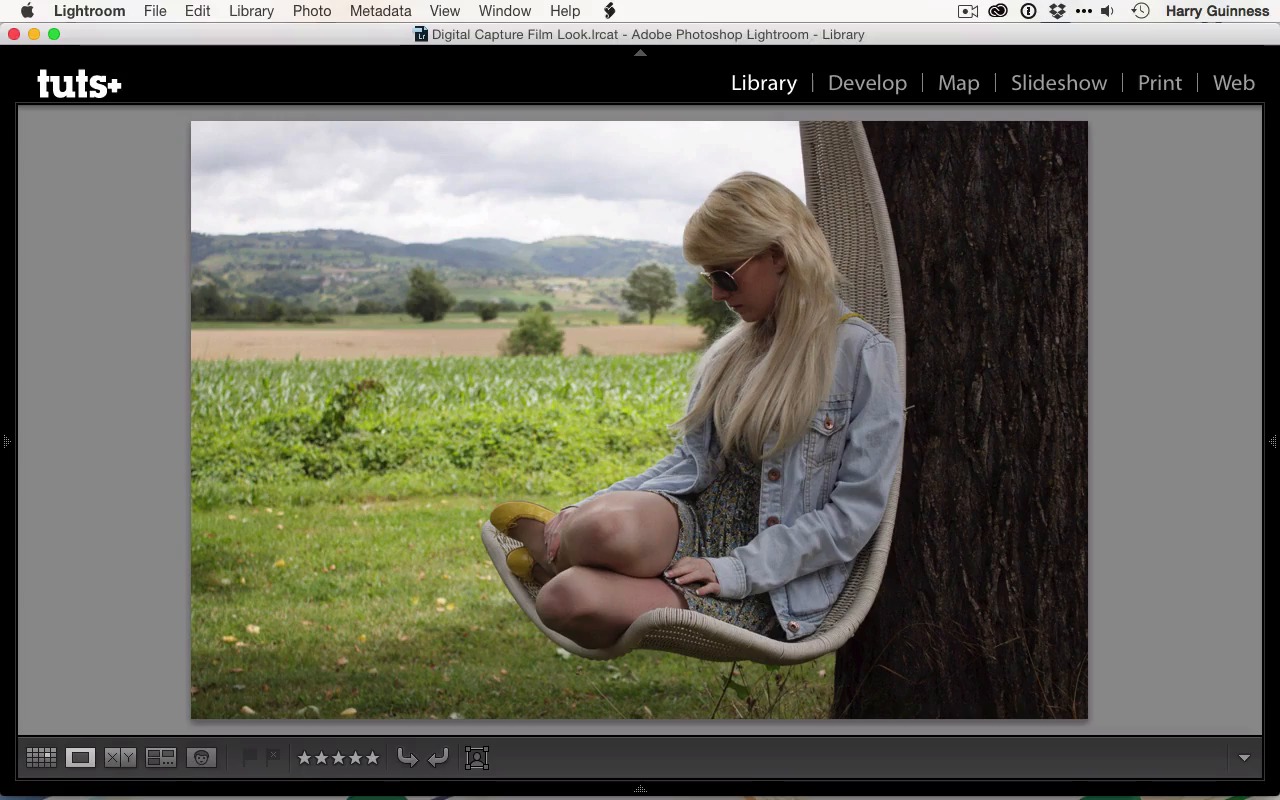
- Overview
- Transcript
1.3 The Kodak Gold 100 Look
In this lesson you will learn about the film we’ll emulate in this course, Kodak Gold 100. It is easy to practice emulation with Kodak Gold because it is has been a popular, “middle of the road” colour film that has had a consistent formulation for decades.
Related Links
1.Introduction
1.1Introduction01:29
1.2What You'll Need02:26
1.3The Kodak Gold 100 Look04:41
1.4Intention and Consistency04:30
2.Lightroom, VSCO and Emulation
2.1Assess the Image04:33
2.2Bring the Image to Neutral05:54
2.3Apply the Preset05:26
2.4Local Adjustments12:30
2.5Finishing Off08:16
2.6Consistency in Lightroom03:10
3.Conclusion
3.1Conclusion01:51
1.3 The Kodak Gold 100 Look
Hi, and welcome back. In this movie, I'm going to take a look at Kodak Gold 100 and what makes the film look. This shot by Angus88, a Flicker user, is the perfect example. It was shot using Kodak Gold 100, and I think it's a really stunning shot. I love the composition of it, and I love a lot of the effects that film gives it. One of the big differences between film and digital is that every film has its own unique characteristics that cover a far broader range than the differences between two digital sensors. With different film stocks, you'll get different tone curves, different color responses. You can see with this Kodak Gold 100 image, that the greens have really been emphasized. There's been some greens pushed into the blues in the image. There is also some oranges pulled up a little bit more subtly into the skin tone. This is a characteristic of Kodak Gold 100. And every image shot using that film will have these effects to some degree. It also introduces a little bit of contrast. I think it gives a really nice level of contrast for this image. You can get other films that introduce a lot more contrast, others that are a lot flatter. Digital images have none of this. Flick over to a shot that I took with a Canon 650D. And again, this is just straight out of camera. You can see that it has none of the pleasing characteristics of Angus88's image. While this image, which is in some respects similar, it has a lot of greens it in and a lot of potential for orange in the skin tone, has a much less pleasing color tone. This is because of how digital cameras handle colors and how they expose images. Whereas each film treats life in its own unique way, and will always treat it like that, your digital camera sensor adjusts to the surroundings and tries to capture exactly what you see. The problem is, that your eyes see light differently to a camera. Not only do your eyes have a much greater dynamic range, which means you can see things in the shadows and the highlights that will either be blown out or crunched on your digital camera, but your brain also processes light. If there is a heavy yellow cast to the scene, and you're looking at a blank sheet of paper, your eyes will still see it as white. Even though if you took an image at that point that was perfectly white balanced and took it into Photoshop and looked at it with the Eye Dropper tool, it would show up as yellow. This is because your brain takes the external cues and then calculates how things should look, rather than how they actually appear. When your camera tries to recreate the scene exactly, and then you look at it in a different context, so say you're shooting in low light and it's all very blue, and then you look at it in a warm room, well, your eyes at the time could see things for the colors they really were. When you're looking at it on your monitor, it will look extremely blue and there'll be a very big color cast to it. Film gets around this by having a different color response to every film, but with digital, this is something you've really got to address. And most digital images straight out of camera, even if they're accurately white balanced, won't have a pleasing look. That's not to say you can't get them with digital images, you just don't get them straight out of the camera. If you want to have a nice white balance and a nice tone curved to the image, you've got to introduce them in the digital darkroom. Clicking back to Angus88's photo, you can see that there's nothing in this image that we couldn't introduce into my shot. All we need to do is increase the greens, brighten it up a bit, change the tone curve, and we could recreate the effect that's going on here, and we're going to do just that in this course. It's almost sacrilege for me to say this, but one of the ways to think about the difference between film and digital photography, in particular the difference between the look, is that with film you are essentially applying a filter as you expose the image, and with digital you’re just getting a raw file that has nothing applied. And needs some work to make look good. And as I said, that's exactly what we're going to do in this course. In the next movie, I'm going to continue looking at some of the differences between film and digital imagery.





